How to Fix Part of an AI Video Without Remaking It
Select the seconds that look wrong. SeraStudio Fix remakes only that range and leaves the rest untouched.
An AI video is almost right. Then at 0:09 the actor's camo pants turn into gray sweatpants for 1.4 seconds. The usual move is to regenerate the whole clip and hope for the best. SeraStudio Fix remakes only the seconds that look wrong.
This guide covers how range-based fixing works, what you can fix and where you can use it.
Fix only what is wrong
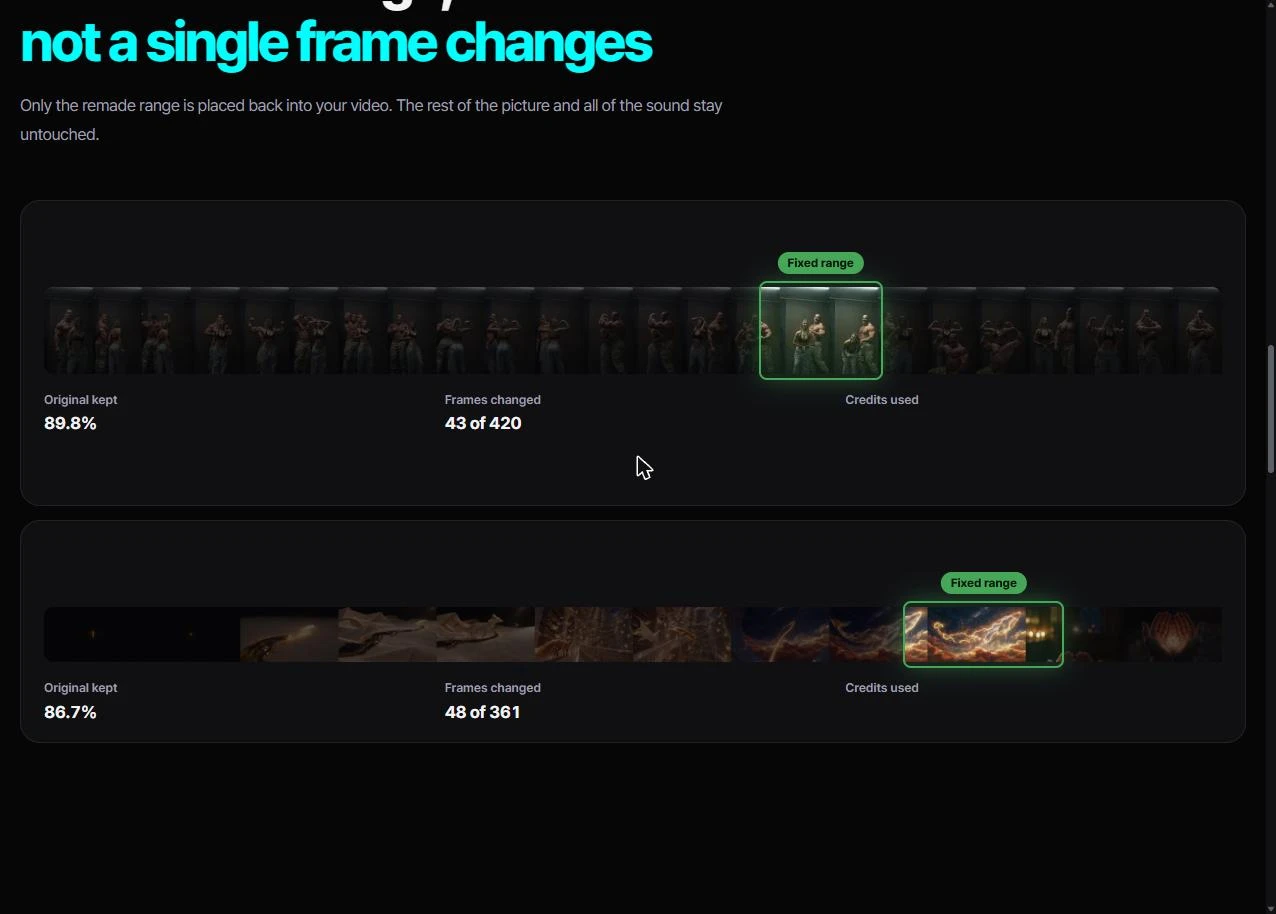
You pick a range in the video. Only that range is remade and placed back into the file. The rest of the picture and all of the audio stay untouched.
Three ways to fix
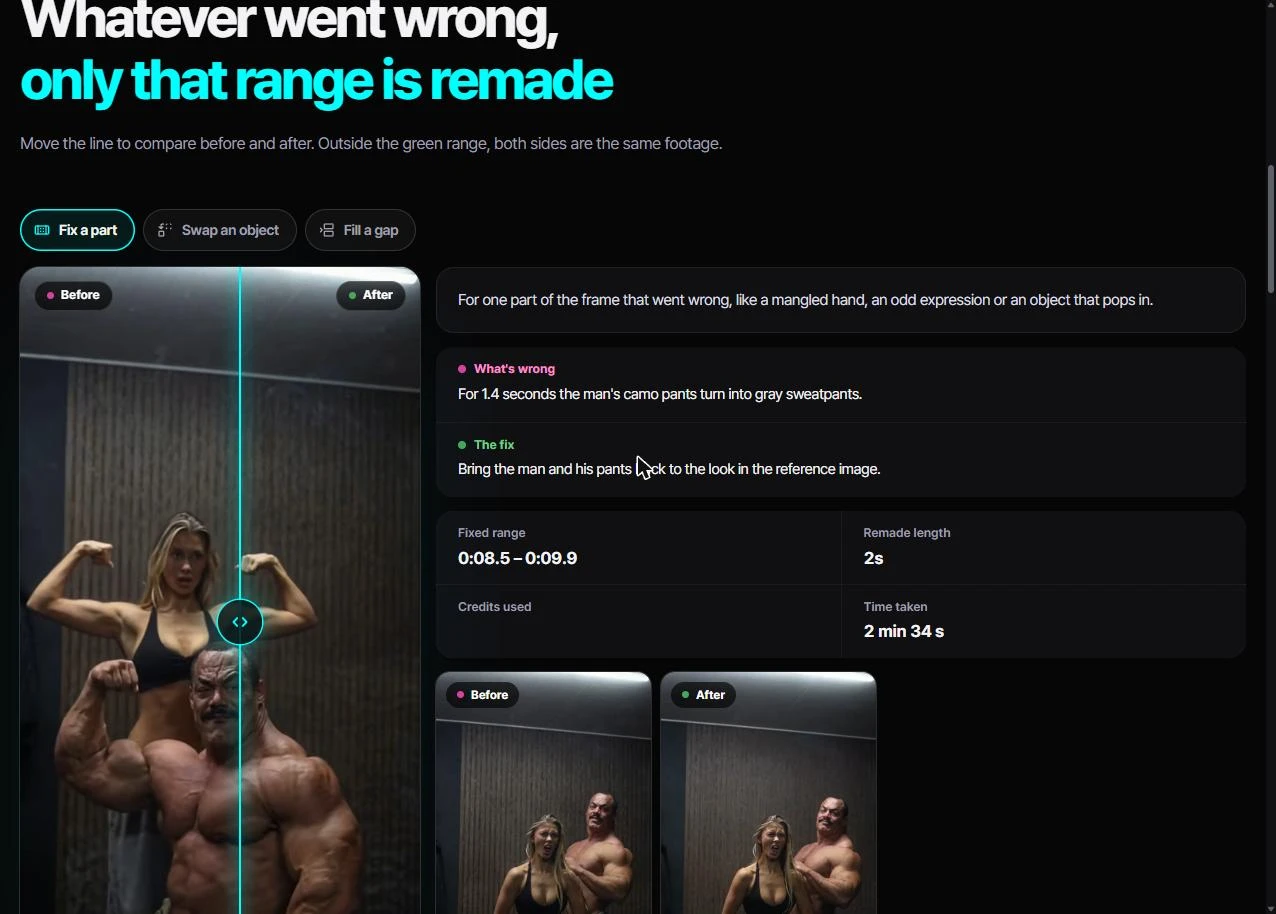
Fix a part repairs a flawed element such as a mangled hand, an odd expression or a stray object. Swap an object replaces an object inside the range. Fill a gap fills a missing section of the frame.
A real fix from the page
In the Fix a part example the camo pants turned into gray sweatpants for 1.4 seconds. The fix restored the man and his pants to the look in a reference image. The fixed range ran from 0:08.5 to 0:09.9. The remade length was 2 seconds. It took 2 minutes and 34 seconds.
The whole video is 14 seconds long. The fix kept 89.8% of the original and changed 43 of 420 frames.
The Fill a gap example works the same way. The video is 15 seconds long. 86.7% of it stays as it was and 48 of 361 frames change.
Versions keep your original
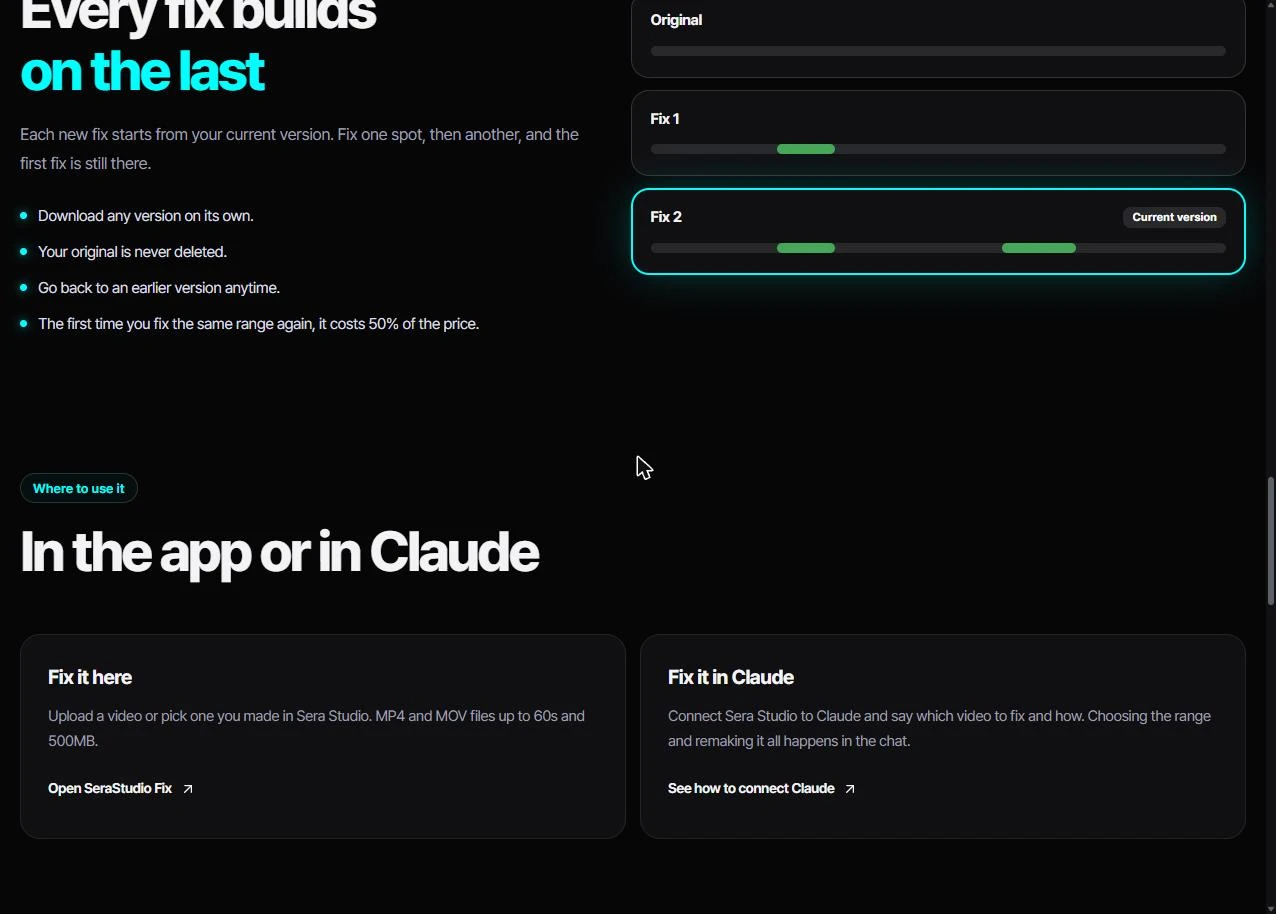
Each new fix starts from your current version. Earlier fixes stay in place. The original is never deleted. You can download any version on its own and go back to an earlier one.
If you do not like a result, fix the same range again.
Where to use it
In the app, upload a video or choose one you made in SeraStudio. MP4 and MOV files work, up to 60 seconds and 500 MB. HDR is not supported.
You can also fix from inside Claude. Connect SeraStudio to Claude and say which video to fix and how. Choosing the range and remaking it all happen in the chat. The guide to using SeraStudio inside Claude shows the setup.
Do not start over
If one detail breaks a good video, fix the detail. The rest of your work stays exactly as you made it.