How to Turn a Flat Sketch Into a Lookbook and Runway Video
Make a lookbook or runway video from a garment photo or flat sketch. Fashion Studio also draws flat sketches and patterns. See the skills and fabrics.
A design starts as a flat sketch. To see how a fabric falls on a body you usually wait for a sample. Fashion Studio lets you see it sooner. Upload a garment photo or a flat sketch and pick a skill. AI makes the lookbook or the runway video. It can also draw the flat sketch or the pattern.
This guide covers what you can start from, what you can make, how fabrics work and where your look can walk.
Start from a garment photo or a flat sketch
Either one works. A garment photo does best when the whole garment is clear. Flat lays and hanger shots work and so do photos of the garment being worn. Add a photo of the back and the back of the flat sketch is drawn from it.
A flat sketch or a pattern can also start on its own. Set the fabric and color and AI makes the real garment in that fabric and color.
What you can make
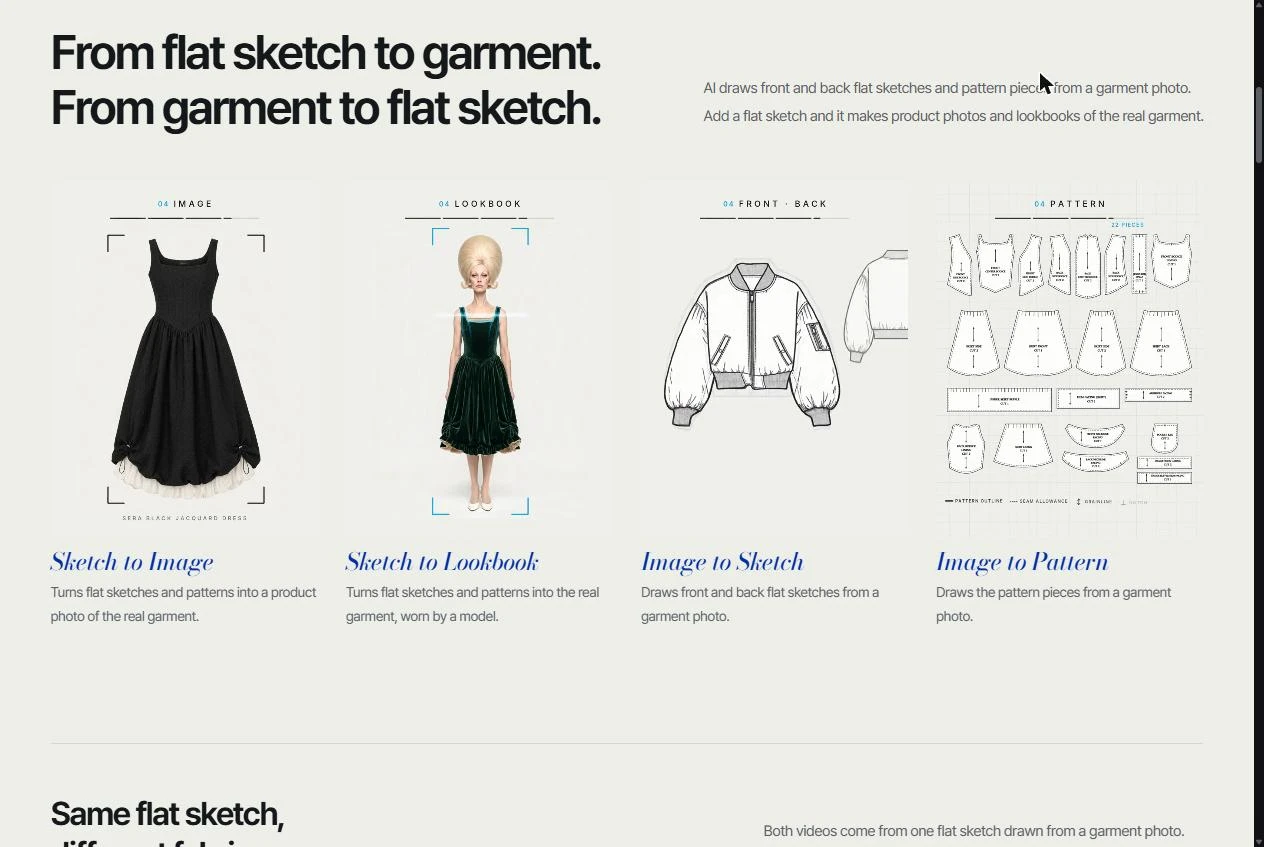
Sketch to Image gives you a product photo of the real garment. The same garment worn by a model comes from Sketch to Lookbook. Sketch to Video turns the sketch into a video. All three start from a flat sketch or a pattern.
Two skills go the other way. Image to Sketch draws front and back flat sketches from a garment photo. Image to Pattern draws the pattern pieces from the same kind of photo.
Fashion Studio also has skills for runway and fashion week looks and for OOTD. The gallery holds 72 results to look through.
One flat sketch in different fabrics
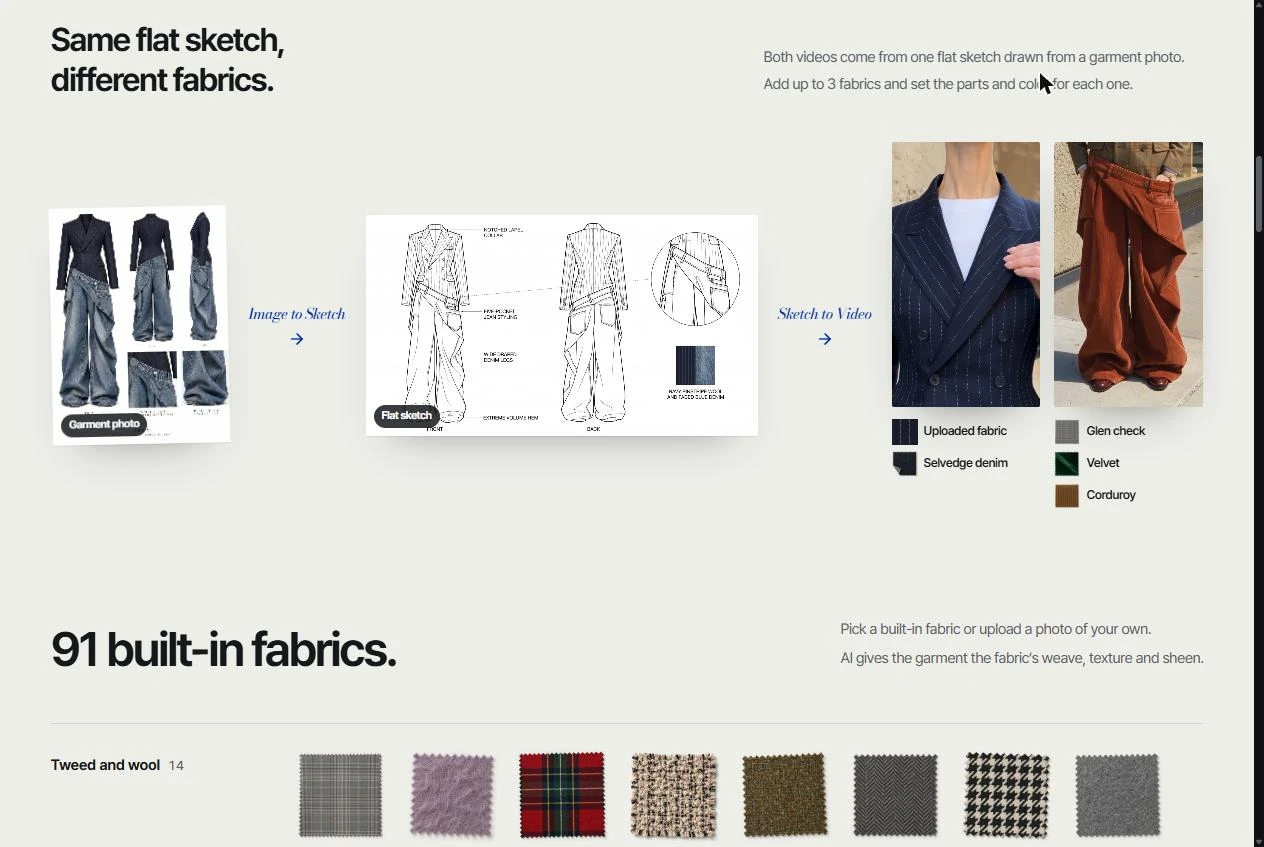
Pick a built-in fabric or upload a photo of your own. AI gives the garment the weave, texture and sheen of that fabric. You can add up to 3 fabrics and set the parts and color for each one.
There are 91 built-in fabrics sorted into groups like tweed and wool or silk and sheer. The list includes glen check, mohair, corduroy, chiffon and brocade.
On the page two videos come from one flat sketch that AI drew from a garment photo. Only the fabric changes between them.
Where will your look walk
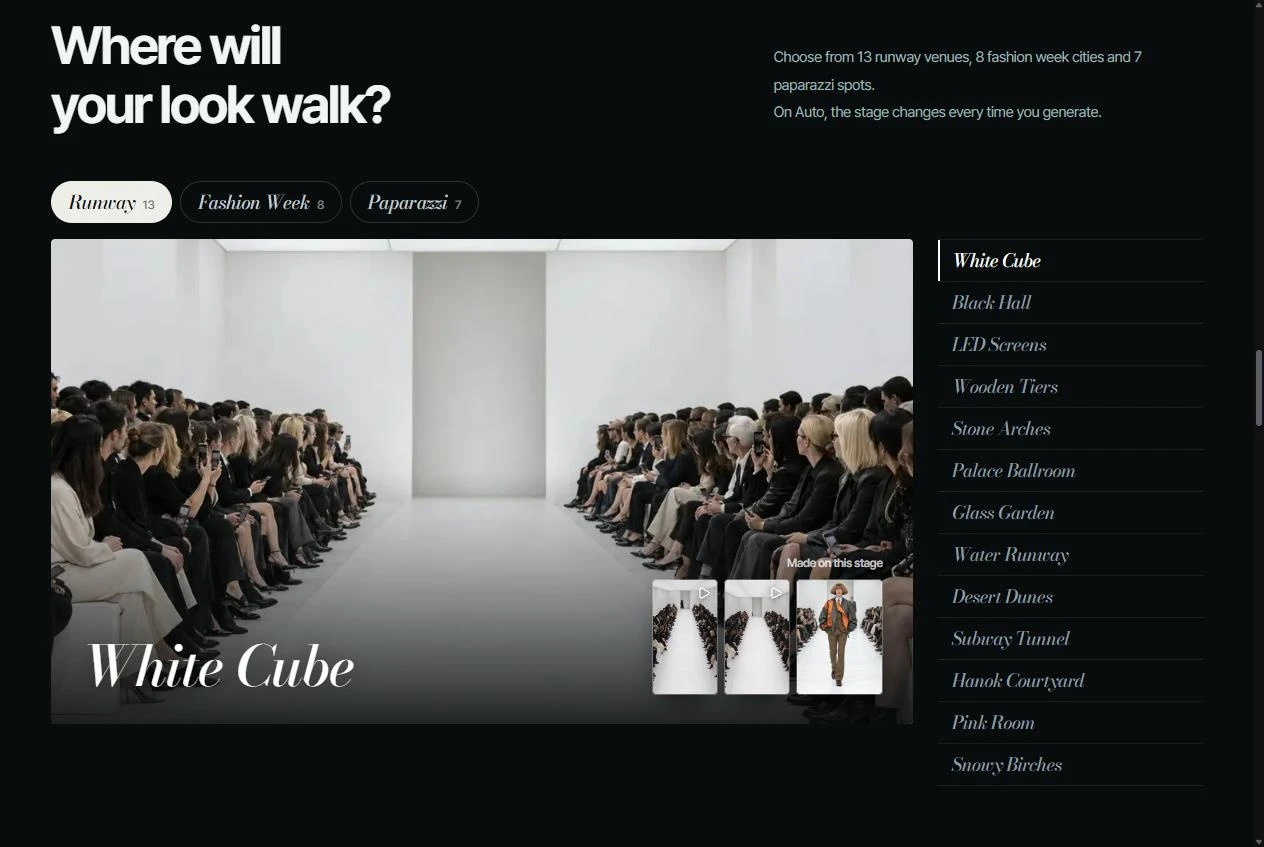
Choose from 13 runway venues, 8 fashion week cities and 7 paparazzi spots. The runway list runs from White Cube and Black Hall to a Subway Tunnel, a Hanok Courtyard and Desert Dunes. On Auto the stage changes every time you generate.
Open any result in the gallery to see the garment and avatar behind it. Then make your own with the same setup.
Who models the clothes
Pick a built-in avatar or your own and the model has that face and build. Leave it empty and AI picks the model.
Fashion Studio or Business Studio
Business Studio makes ads for any product. Fashion Studio is built around clothes. It handles flat sketches and patterns along with runway and fashion week looks and OOTD. If you sell something other than clothes try Business Studio instead.
Start with one garment
One garment photo is enough to see your design on a runway.