
01
Numbers and momentum
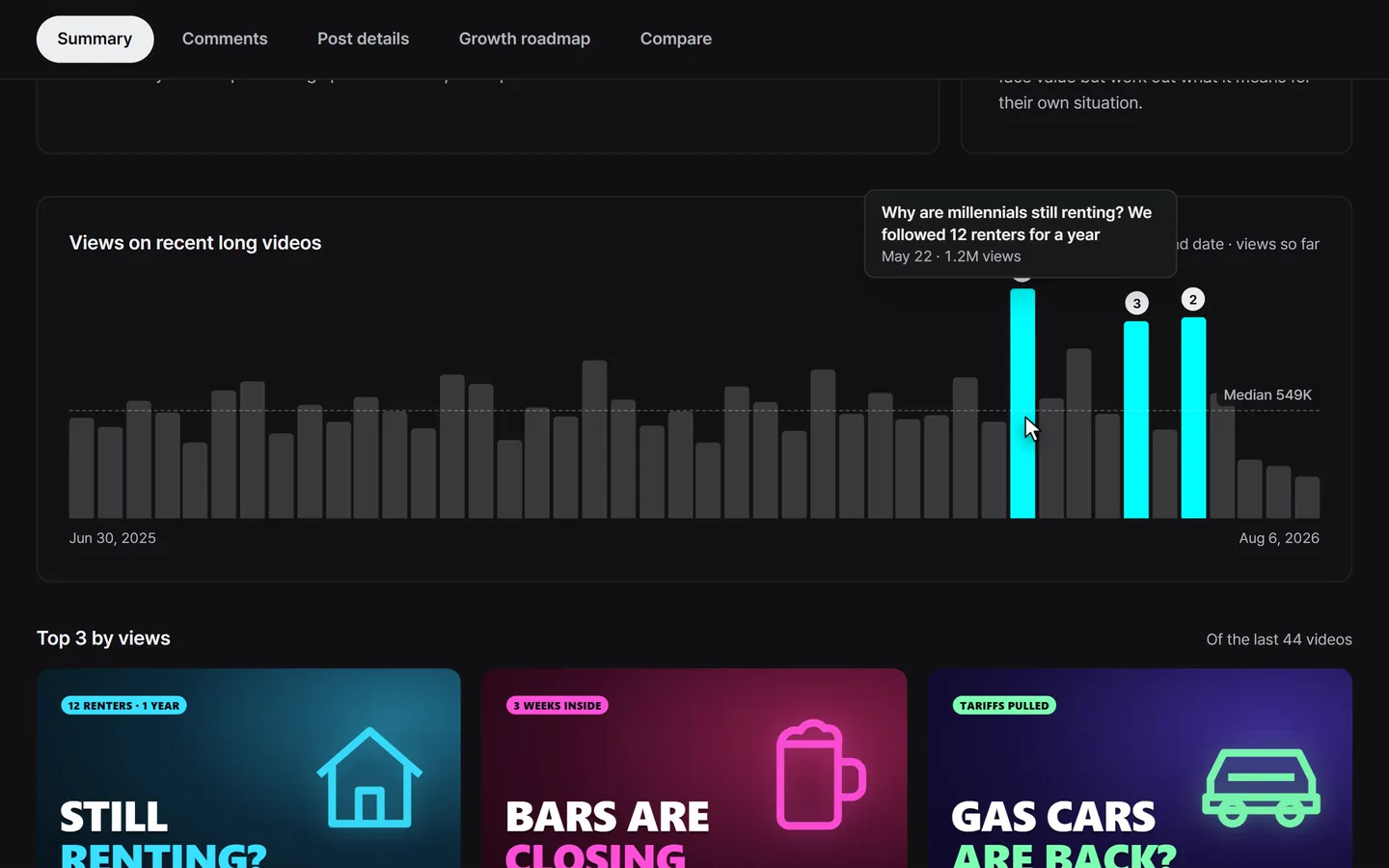
See subscribers, median views, upload interval and the views of every recent video at a glance. Your three best videos stand out right away.
Feature · Channel insights
Read the numbers and the comments of any YouTube channel from one URL.
AI sums up how viewers react and points to the moments worth turning into shorts.
Channel insights don’t use credits
Screen of entering a channel URL, then viewing the views chart, the top three videos, comment analysis and channel comparison
READ ANY CHANNEL
Built only from public YouTube data.
It doesn’t have to be your own channel.
01
See subscribers, median views, upload interval and the views of every recent video at a glance. Your three best videos stand out right away.
02
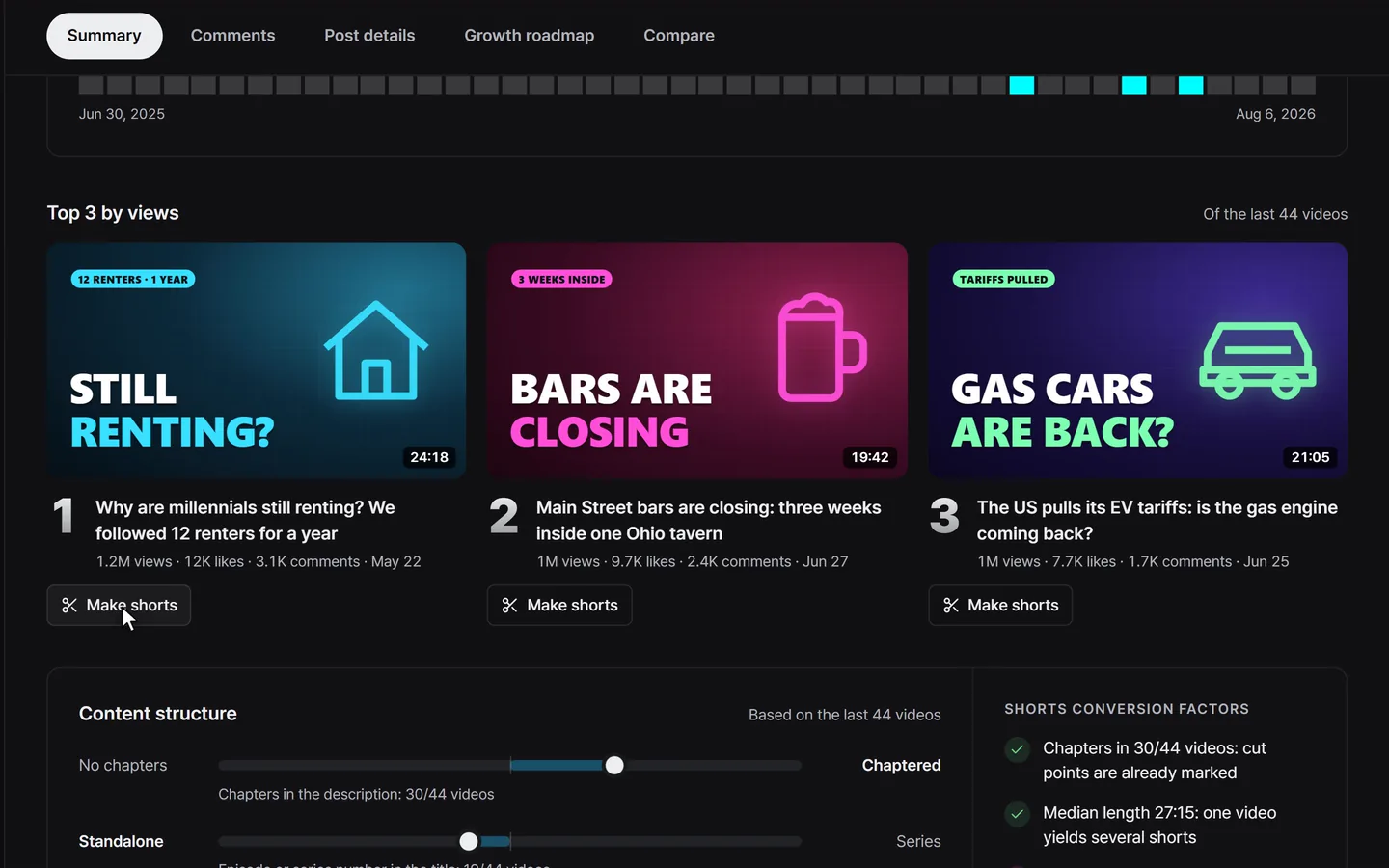
From the top videos, chapters and video length, it shows where to pull shorts from. Start Long to Short from the button next to each video.
03
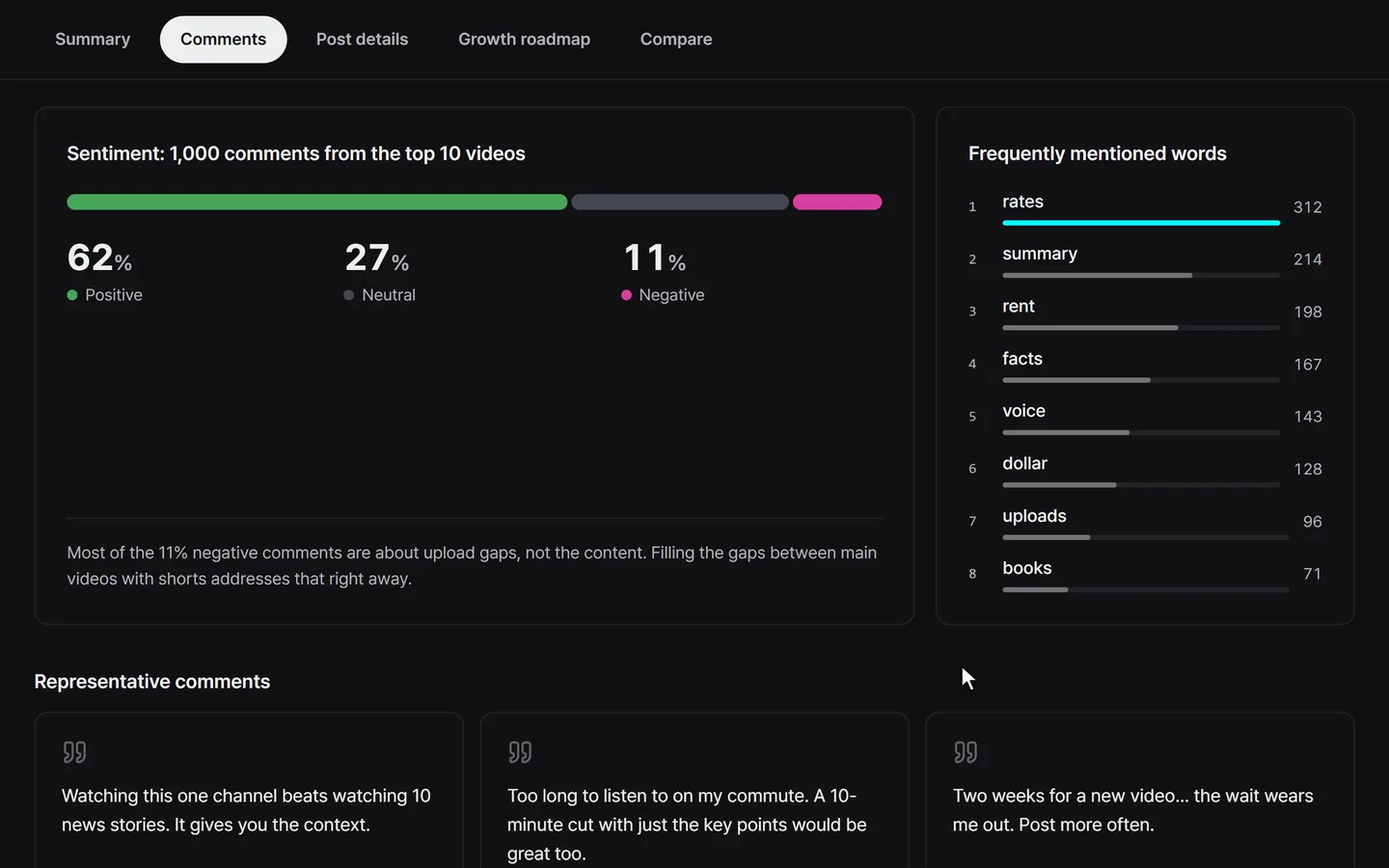
AI reads the comments on the most-viewed videos and sums up reactions, requests and viewer types. Featured comments are shown word for word.
04
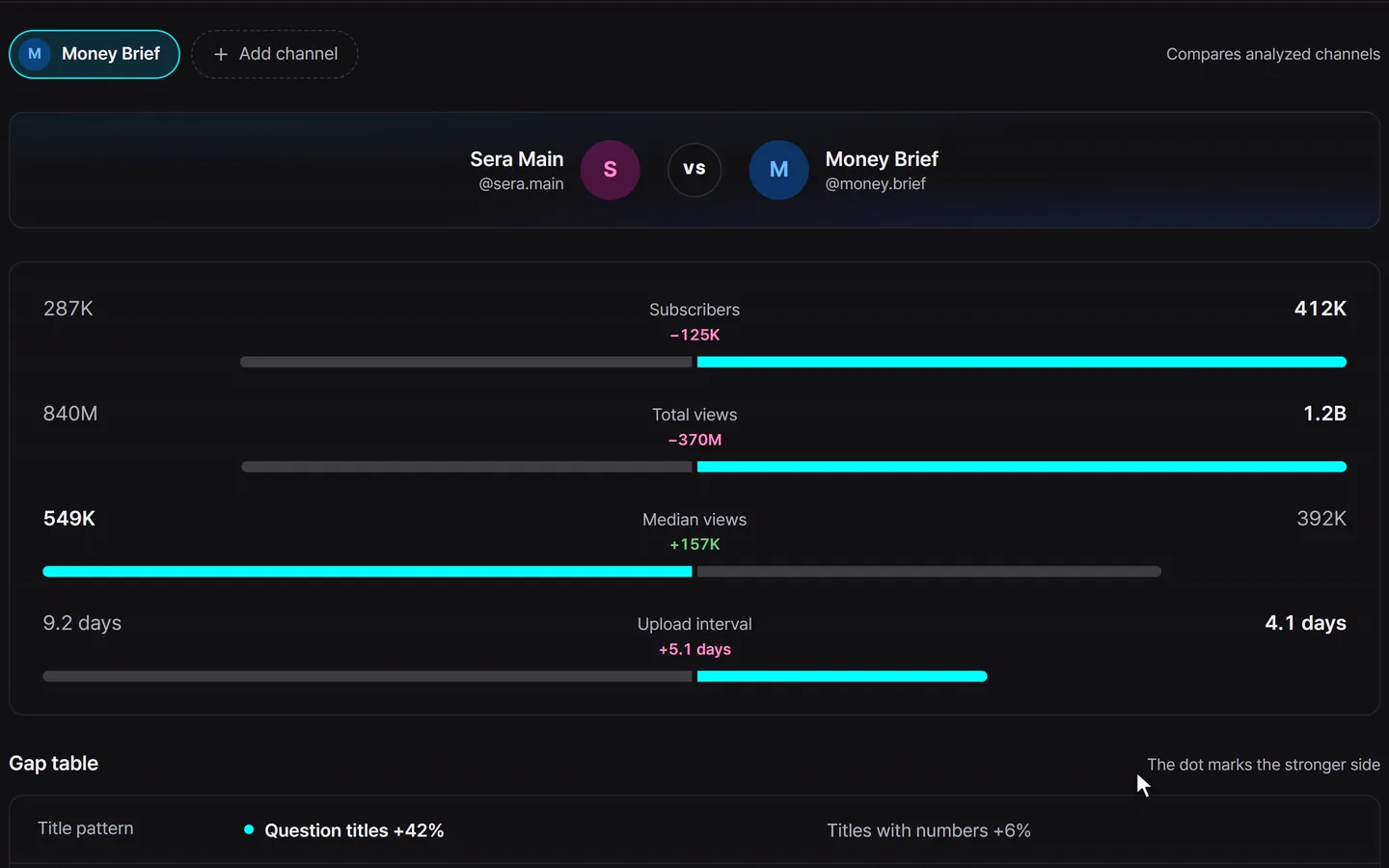
Put analyzed channels side by side on subscribers, views, upload interval and title patterns, and see which one leads.
FROM INSIGHT TO SHORTS
Paste a YouTube channel URL or @handle and start the analysis. Any public channel works, not just your own.
Metrics and the views chart come first, then AI fills in what the comments say. Print any tab or save it as a PDF.
Send a top video or a request you found in the comments to Long to Short. Post the finished shorts with the schedule calendar.
GOOD TO KNOW
Yes, any public YouTube channel, by URL or @handle. It uses only information anyone can see, such as video titles, views and public comments.
No. Channel insights don’t use credits. How many new channels you can analyze each month depends on your plan, and re-analyzing a channel already on your list doesn’t count.
Recent long videos, plus the comments on the most-viewed ones. Short videos are left out so they don’t blur the long-video numbers.
No. Age, viewing hours and traffic sources are YouTube Studio data that only the channel owner can see. Instead, AI groups viewer types from the comments.
The language of your screen. Metrics and insights are written in that language, and only the featured comments stay in the viewers’ own words.
Use Analyze again above the report to read the channel anew. Each report shows the date it was analyzed.
YOUR NEXT SHORT
Try it with a channel URL.
Start analyzing a channel