
See each other’s edits.
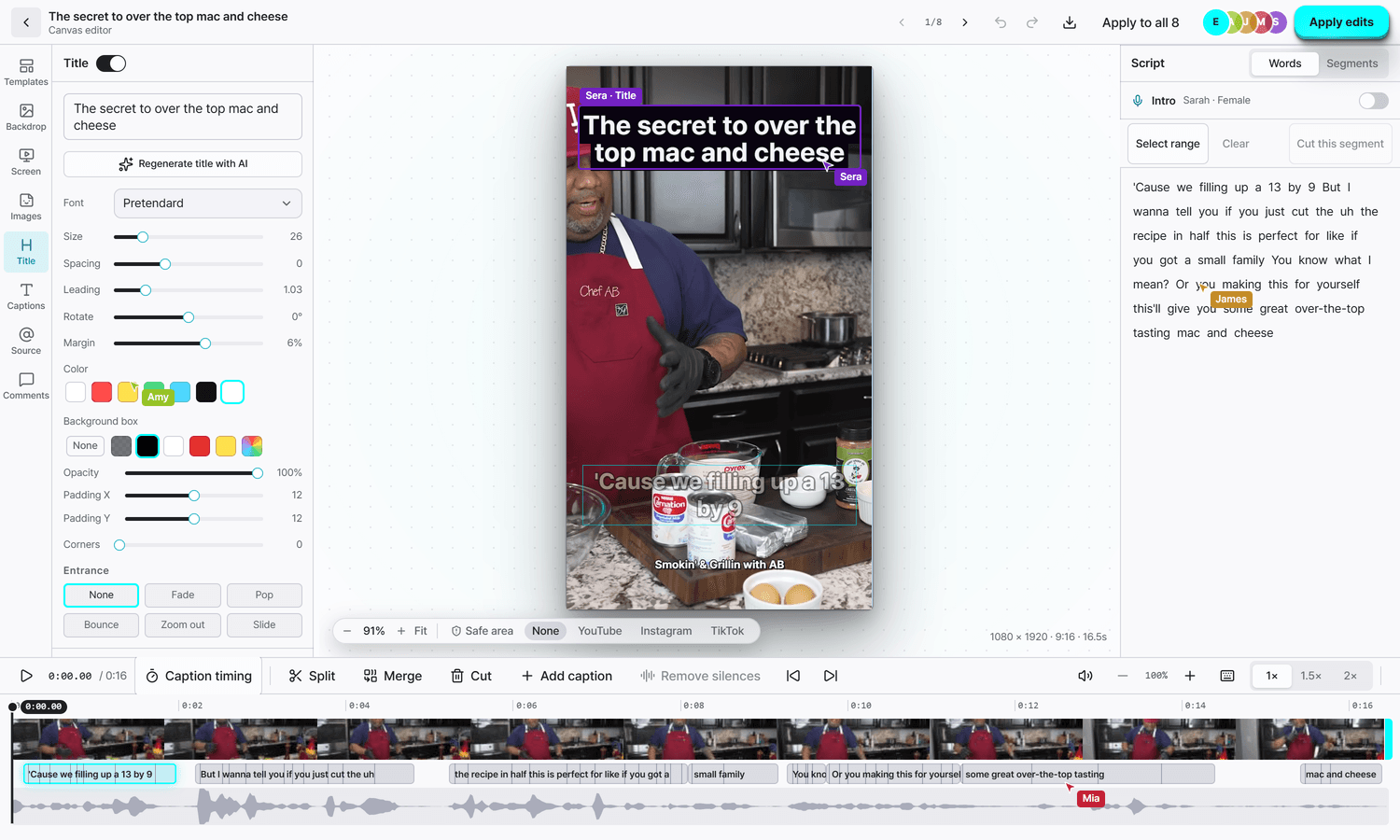
You see the names and cursors of teammates who have the same clip open. When someone saves, you can load the latest version. If you have unsaved changes, Sera lets you know first.
Feature · Team workspace
Invite teammates to make and edit the same videos.
Share credits and templates in one workspace.
Team invites start with the BASIC plan
BRING YOUR TEAM
The owner invites people by email and picks their role. Once they sign in with that email and accept, they start working in the team’s workspace.
THE RIGHT ROLE FOR EVERYONE
Pick a role to compare what it can do.
Only the owner invites teammates and changes roles.
Permissions by role
Makes, edits and posts videos. Can also connect social accounts and manage templates.
A guide to role permissions. The owner sets actual roles in member settings.
ONE TEAM. SHARED CREDITS.
Invite teammates up to the number your plan includes. They work with the owner’s credits, with no card of their own.
Team activity in member settings shows the videos made, the edit history and this month’s credit use.
With 3 teammates
Billed monthly · Plus applicable tax
The team size here is only for comparing plans. Choosing one doesn’t invite anyone or start a subscription.
KEEP THE TEAM IN SYNC
You see the names and cursors of teammates who have the same clip open. When someone saves, you can load the latest version. If you have unsaved changes, Sera lets you know first.
A channel group is a set of social accounts for one brand. When the owner or an admin creates one, editors can pick that brand when they post.
Send a review link to get finished videos approved. Reviewers can approve or hold each clip and leave comments without signing up.
GOOD TO KNOW
No. Teammates work with the credits in the owner’s workspace, with no subscription or card of their own. How many teammates you can add depends on the owner’s plan.
The owner invites people from member settings by entering their email and choosing a role. Only the owner can change roles or remove teammates.
No. Videos made in the team workspace and connected social accounts stay with the owner’s account. Scheduled posts stay too.
You see the names and cursors of teammates viewing the same clip. When someone saves and you aren’t editing, the latest version loads. If you have unsaved changes, Sera tells you before anything is overwritten.
Yes. Share videos with a review link. Reviewers can approve or hold each clip and leave comments without signing up. Invite people you keep working with as teammates.
Sign up without a card and try Long to Short with 60 credits. Team invites start with the BASIC plan.
YOUR NEXT VIDEO, TOGETHER
Create on the same screen and post to the same channels.
Start my team