How to Turn One Product Photo Into Ads and Videos
Upload a product photo, pick a skill and Business Studio makes the ad images and videos.
A single product photo is the whole brief. Upload it to Business Studio, pick a skill and the AI makes ad images and videos from it. This guide covers what you can make, which templates and skills exist and what the photo should look like.
How it works
Upload a product photo. Pick a skill or a template. Add an avatar if you want a person in the shot. Then say what you would like to change and generate. The product photo is the only required input.
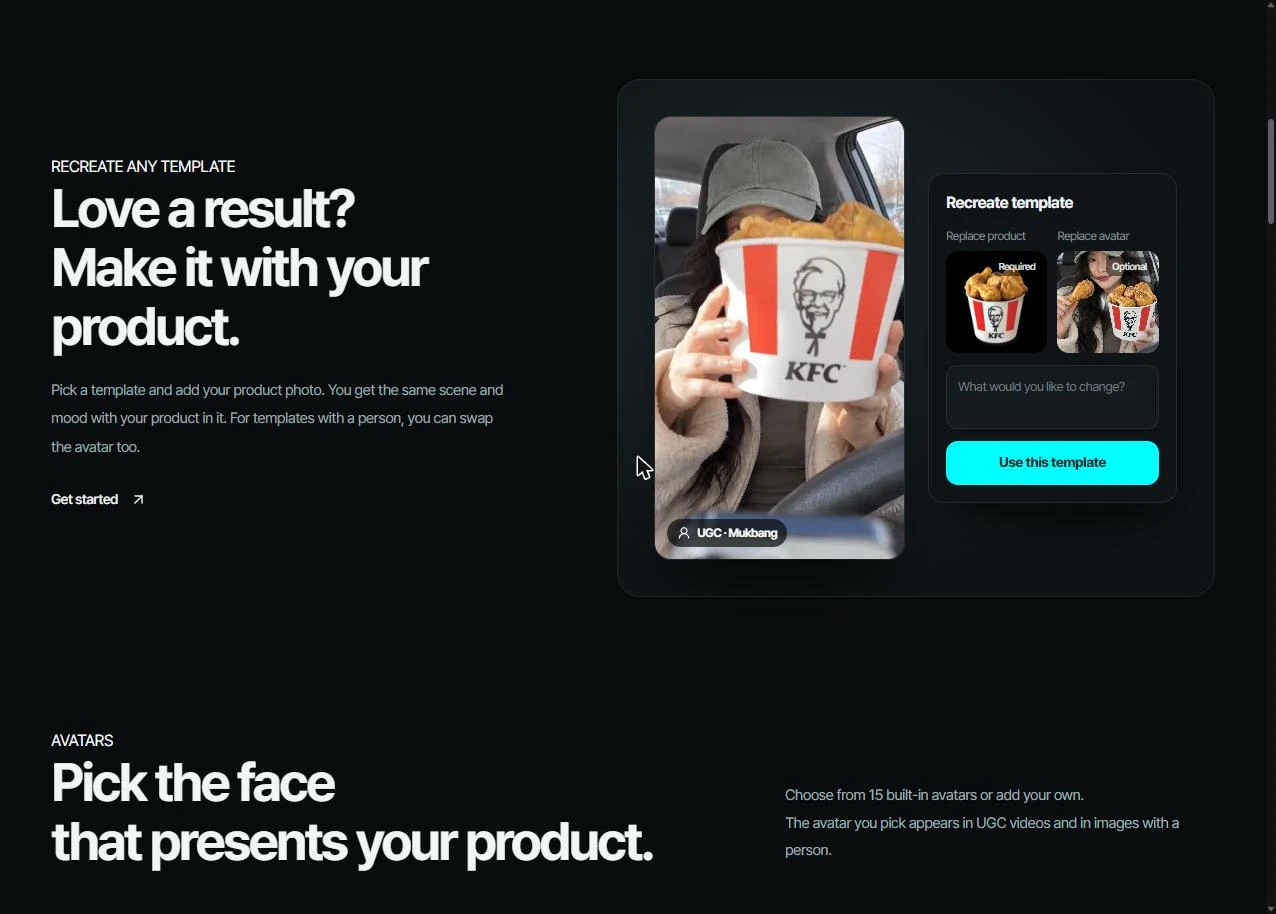
Recreate any template
Pick a template that looks like the ad you want and add your product photo. You get the same scene and the same mood with your product in it. If the template has a person you can swap the avatar too.
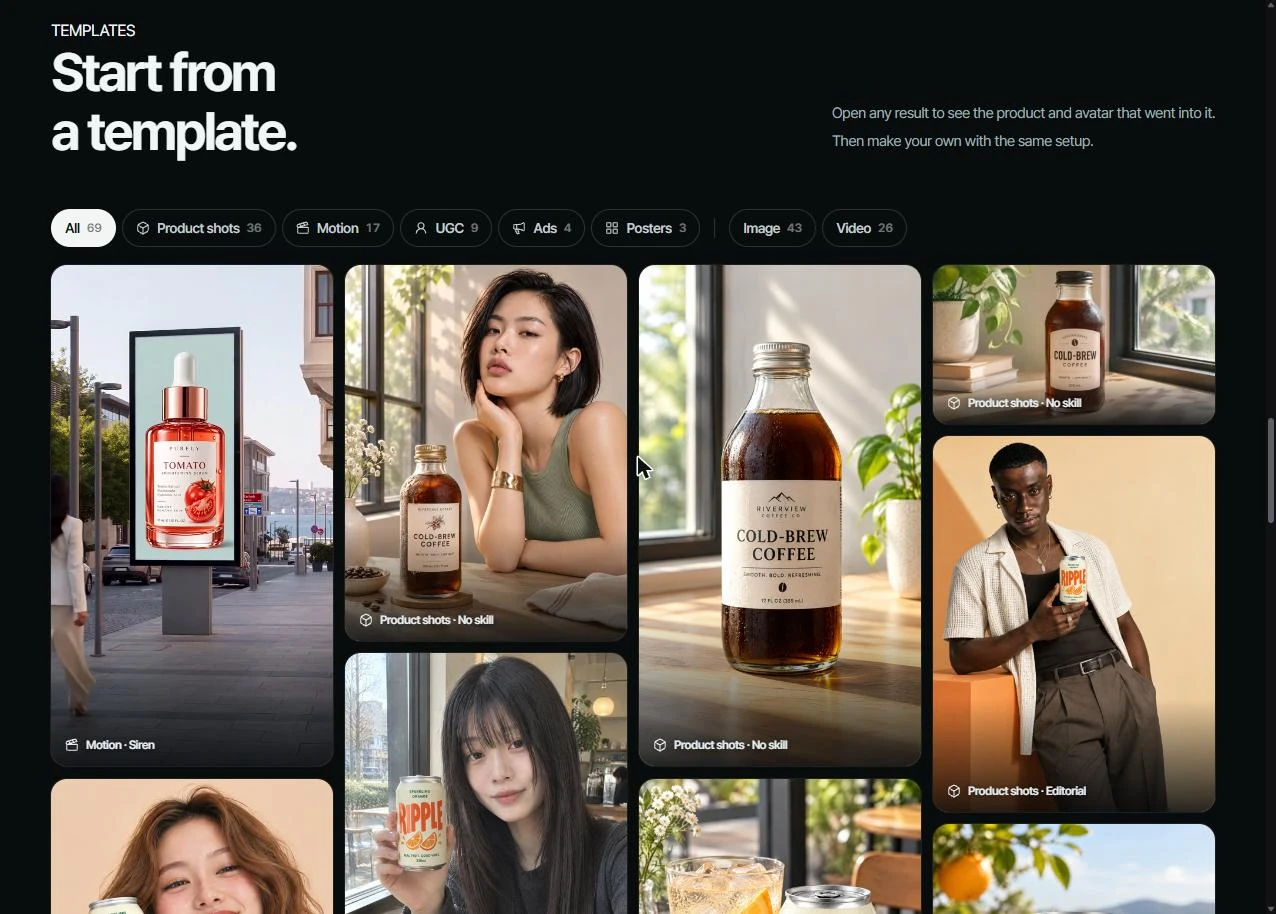
The gallery holds 69 templates. There are 36 product shots, 17 motion templates, 9 UGC templates, 4 ads and 3 posters. 43 of them make images and 26 make videos. Open any result to see the product and avatar it used. Then make your own with the same setup.
11 video skills
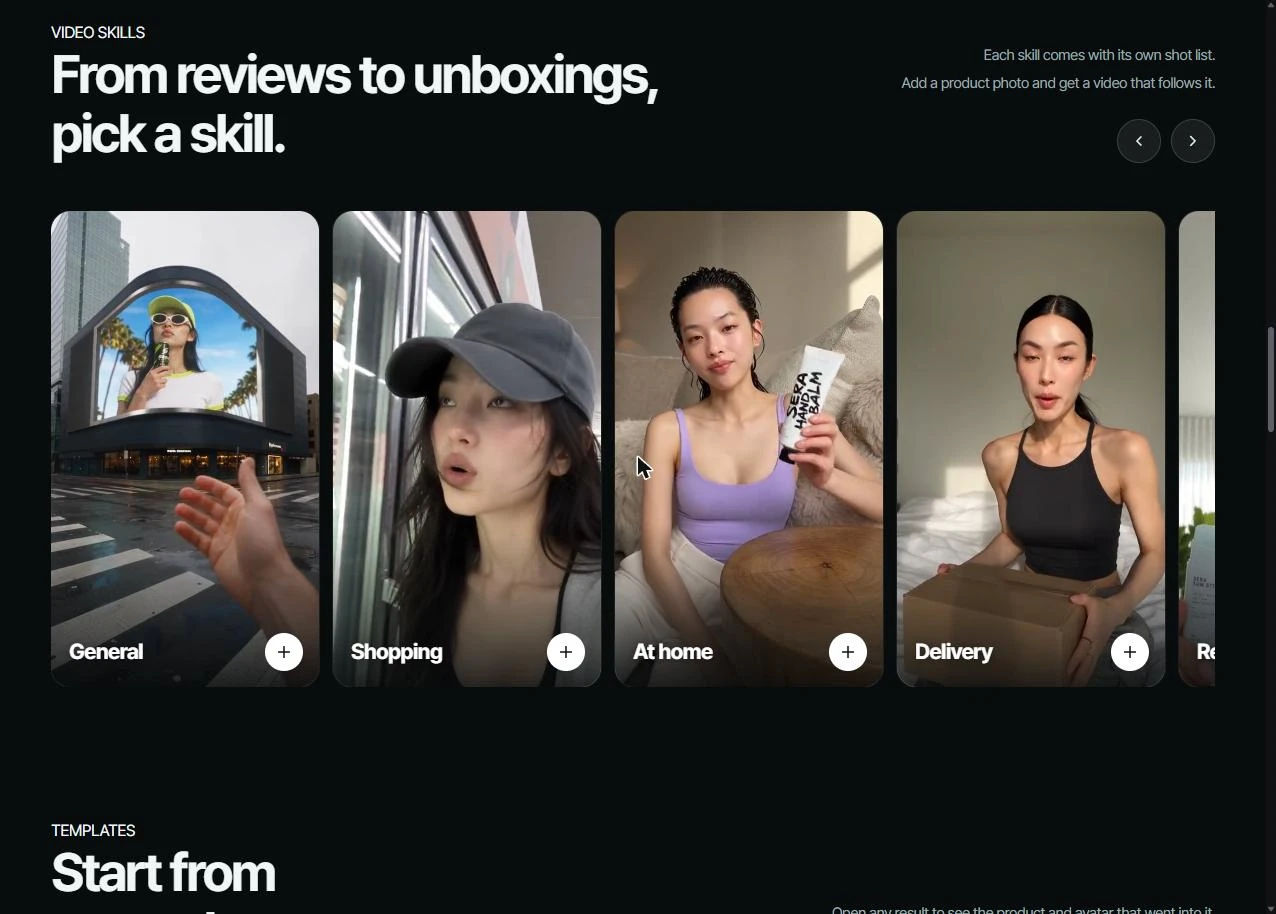
Each video skill has its own shot list. Add a product photo and you get a video that follows it. The skills are General, Shopping, At home, Delivery, Review, Try-on, Unboxing, Tutorial, Mukbang, Typography and Color pop.
15 avatars and your own
Business Studio has 15 built-in avatars. You can add your own too. The avatar you pick appears in UGC videos and in images with a person.
For a UGC skill an AI person shows off your product on camera. Some product shot skills also put an AI person next to your product.
What photo works best
Use a photo where the product is clear and the text on the packaging is readable. The AI draws a new background to match the skill you pick.
Posting and next steps
Download the result and post it anywhere such as Instagram, YouTube Shorts or TikTok. You can also connect your social accounts and post or schedule straight from SeraStudio.
Business Studio works only from product photos. If you want to cut your own footage into shorts, use Long to Short instead. If you need the same photo at the exact sizes marketplaces ask for, Fit to Spec does that.
Start with one clear photo of your product.