How to Auto-Post Product Videos and Carousels Every Week
Add your products once. Autopilot prepares a week of videos and carousels and posts only what you approve.
Most shop owners know they should post every week. Few have the time. Autopilot is the SeraStudio feature built for that gap. You add your products and the accounts you post to once. After that, a new week of post ideas arrives every seven days with the captions already written.
This guide covers what Autopilot makes, how the weekly routine works and why nothing goes out without your approval.
What Autopilot makes for you
Autopilot plans a week of posts for one product at a time. It makes product videos, posters and carousels. It also makes new photos for the week. Videos can go to YouTube, Instagram, Facebook, TikTok, Threads, LinkedIn and X. Posters and carousels go to accounts that take image posts. YouTube takes video only. X takes up to four images. Longer carousels skip both.
One product photo becomes a week-long campaign
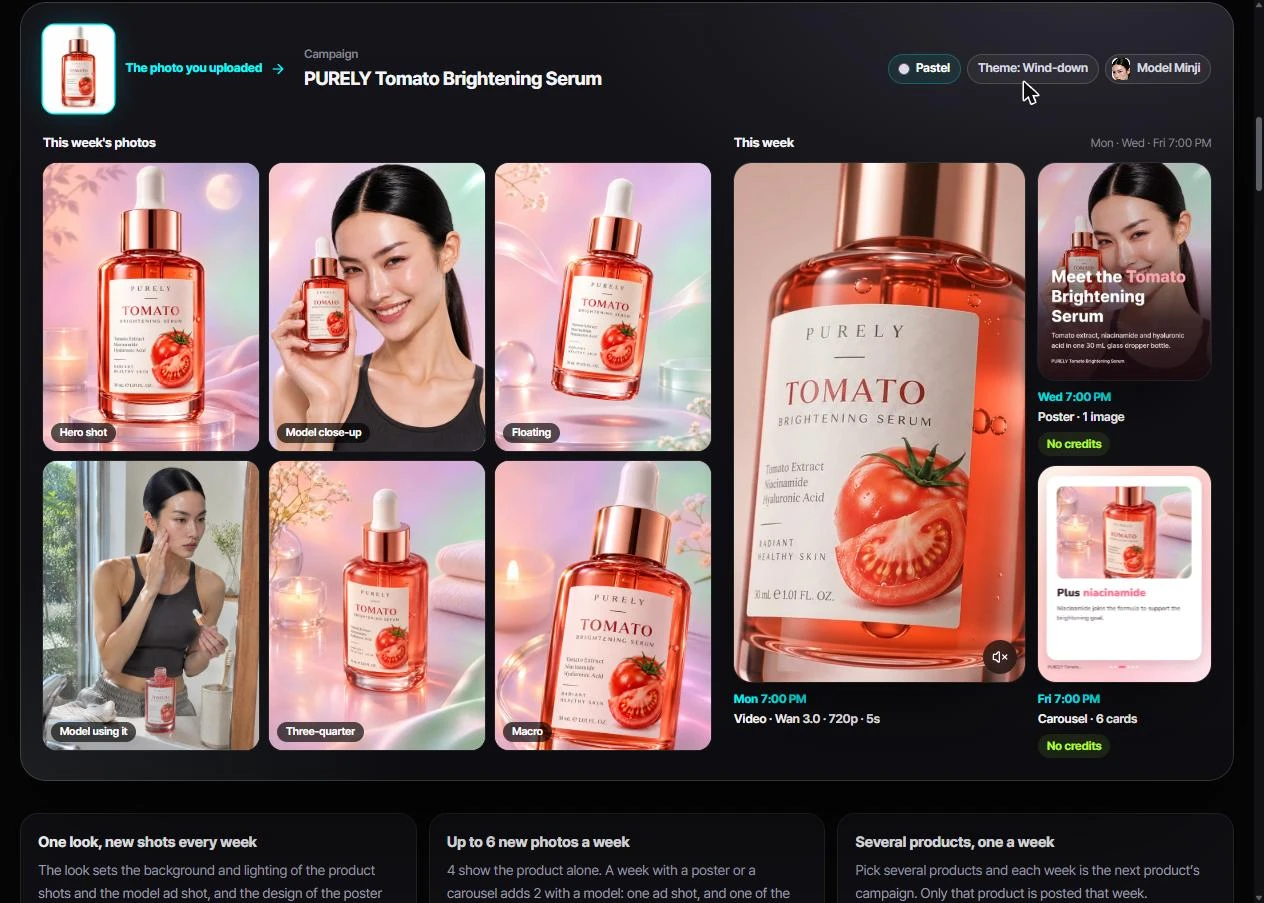
The default mode is a campaign. A campaign covers one product for one week. Autopilot looks at your product photo and picks one of six looks: Clean studio, Natural, Color pop, Pastel, Dark or 3D surreal. The look sets the background and lighting of the photos and the design of the poster and carousel. The compositions change every week, so the feed does not repeat itself.
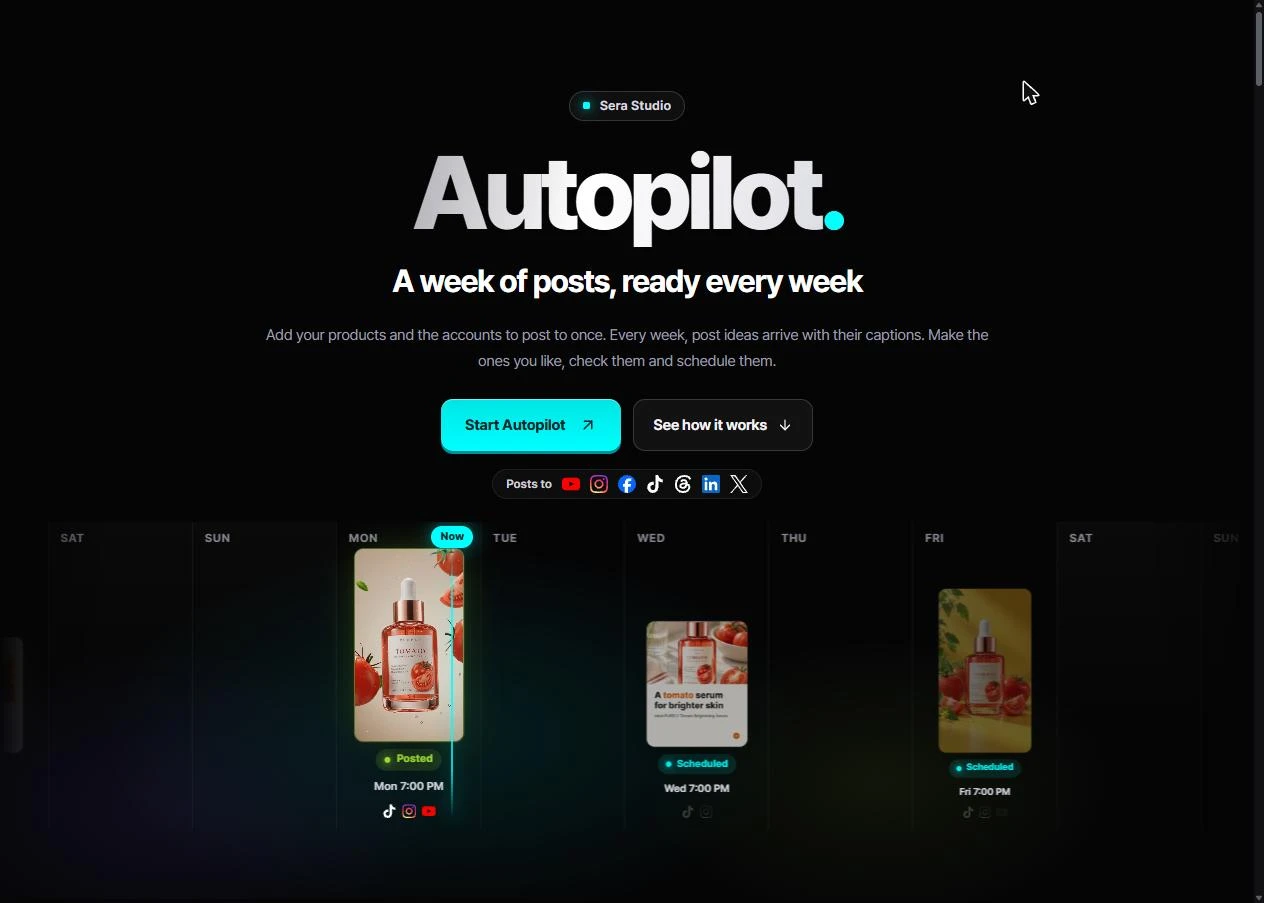
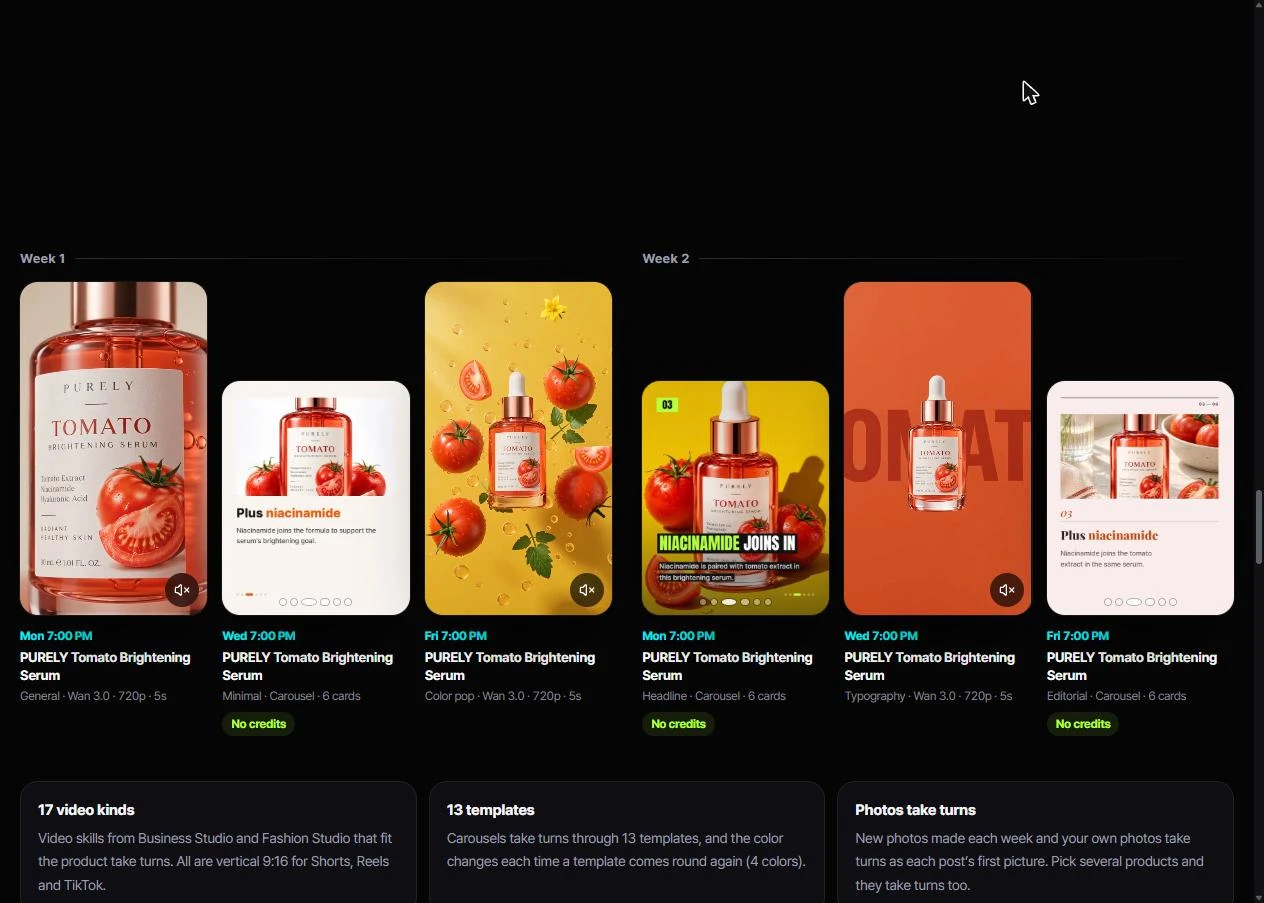
The sample on the Autopilot page is a Monday, Wednesday and Friday week for a tomato brightening serum. Autopilot chose Pastel from the product photo. It then made six new photos, a five second video for Monday, a poster for Wednesday and a six card carousel for Friday. Nothing in the sample was edited.
Four of the six weekly photos show the product alone. A week with a poster or a carousel adds two photos with a model, one ad shot and one of the product in use. Each product has one model, picked from the built-in models, your avatars or your uploads.
Pick several products and each week becomes the next product's campaign. Only that product is posted that week.
Set it up once
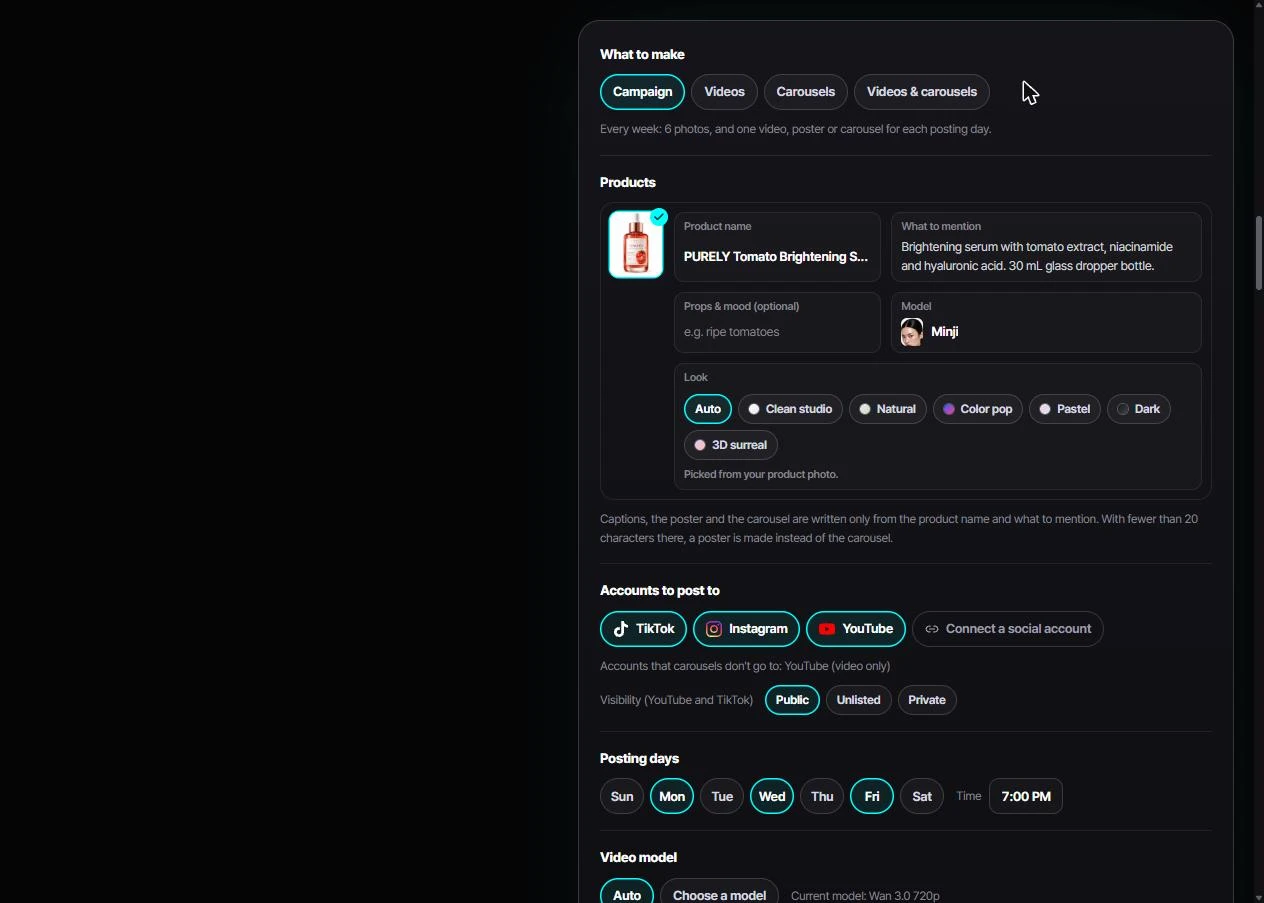
Setup is a handful of choices. Pick products from your product library and write what to mention about each one. Choose the accounts, the posting days and the time. The default is Monday, Wednesday and Friday at 7:00 PM.
You can also decide what to make. A campaign is selected to begin with. You can switch to only videos, only carousels or both in turn. Look and model can stay on Auto or you can choose them yourself. For videos, Auto uses Wan 3.0 at 720p. You can pick from 30 vertical video models instead, or keep to video kinds that show only the product.
One tip on the note. For carousels, what you write under "what to mention" needs at least 20 characters. A shorter note gets a poster instead of a carousel, so give each product a real sentence or two.
Two presses a week
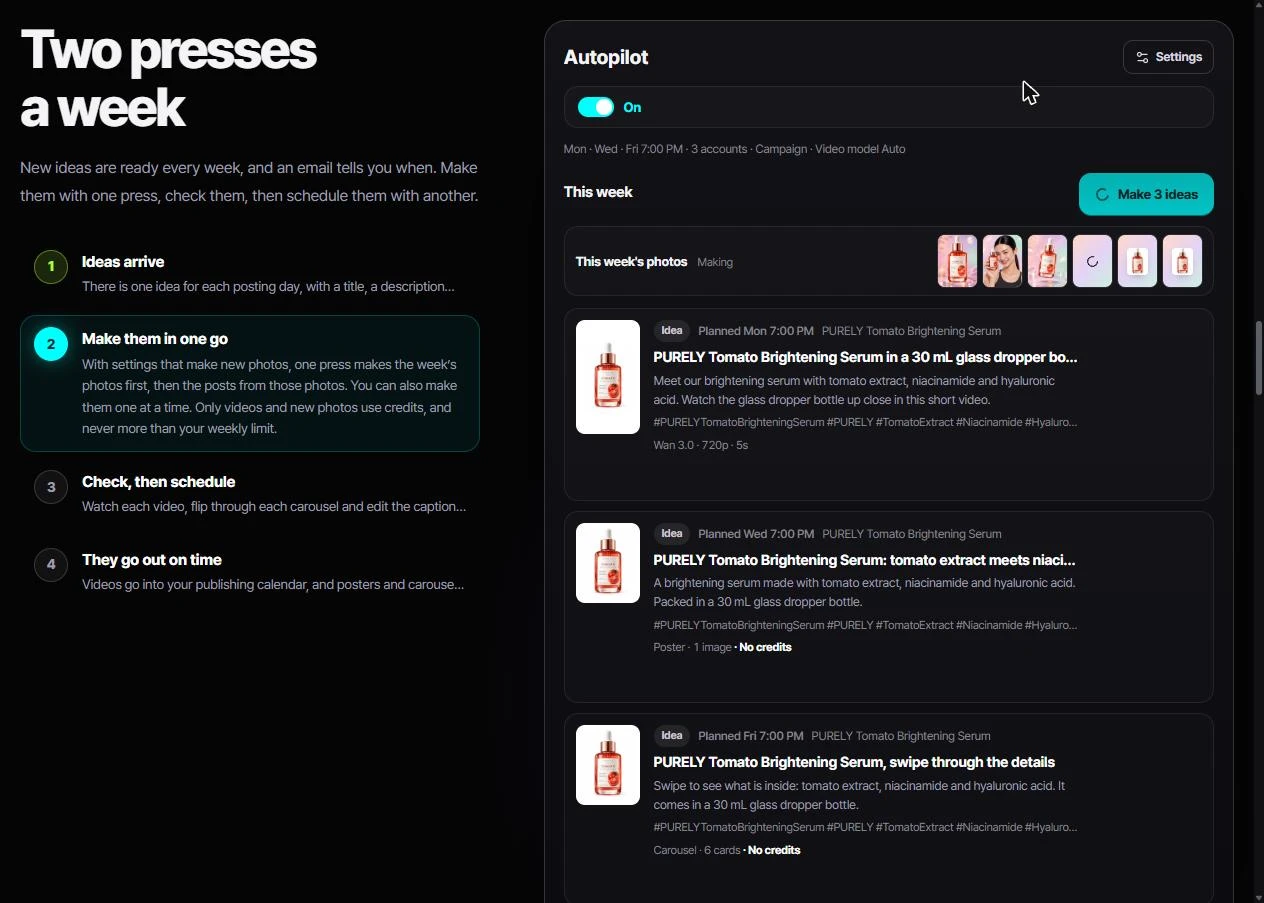
New ideas arrive every seven days and an email tells you when. There is one idea for each posting day, with a title, a description and hashtags.
Press once and Autopilot makes the week's photos first, then the posts from those photos. You can also make them one at a time. Then watch each video, flip through each carousel and edit any caption. Press again and everything is scheduled for your days and time.
Videos go into your publishing calendar. Posters and carousels go into My posts in Post Factory. Until they go out, you can move or remove them there.
Captions come from your own words
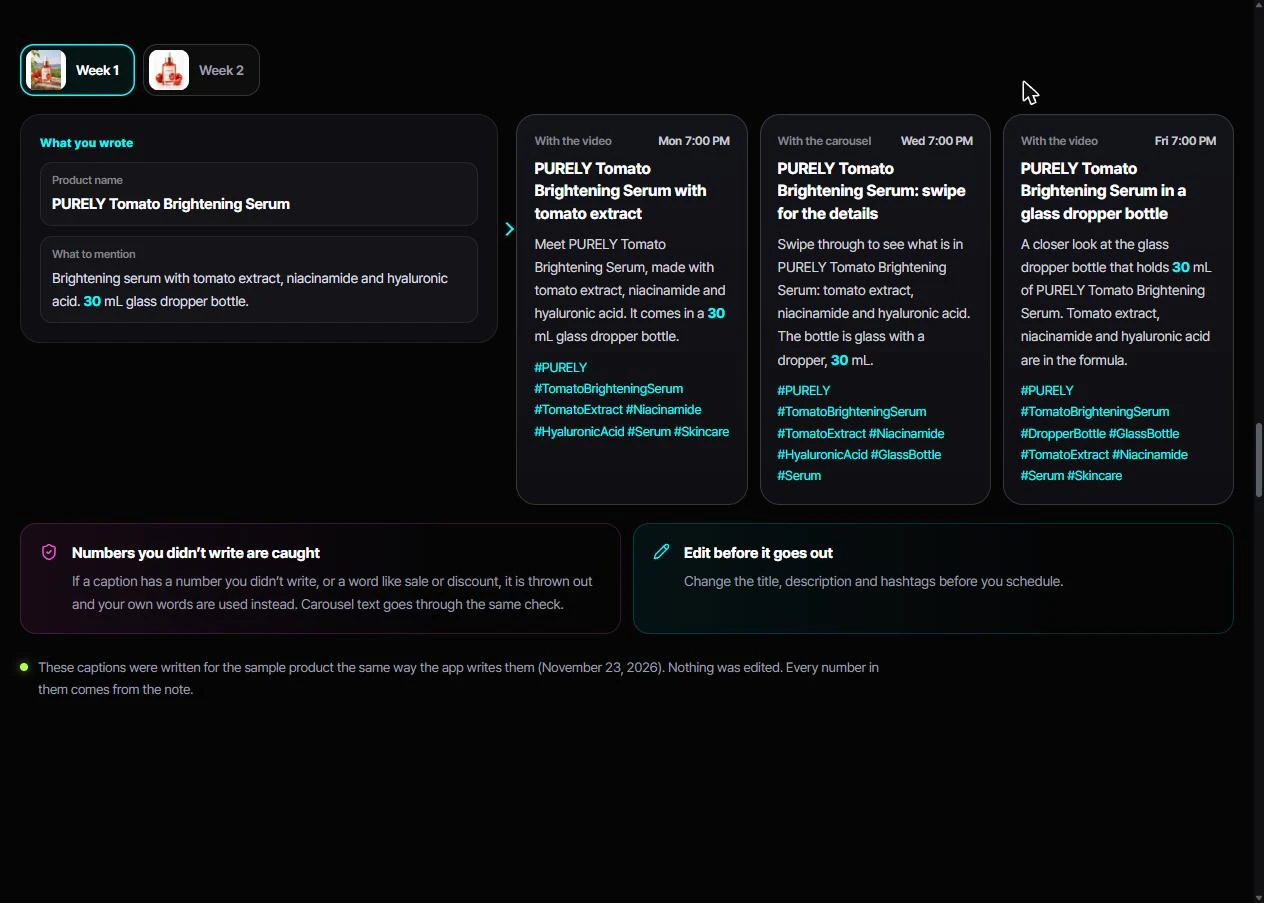
Titles, descriptions and hashtags are written only from the product name and what you mention. The AI is told not to invent prices or benefits. A caption with a number you did not write or a word like sale or discount is thrown out. Your own words are used instead. Carousel text goes through the same check. You can still change the title, description and hashtags before you schedule.
Videos and carousels in turn
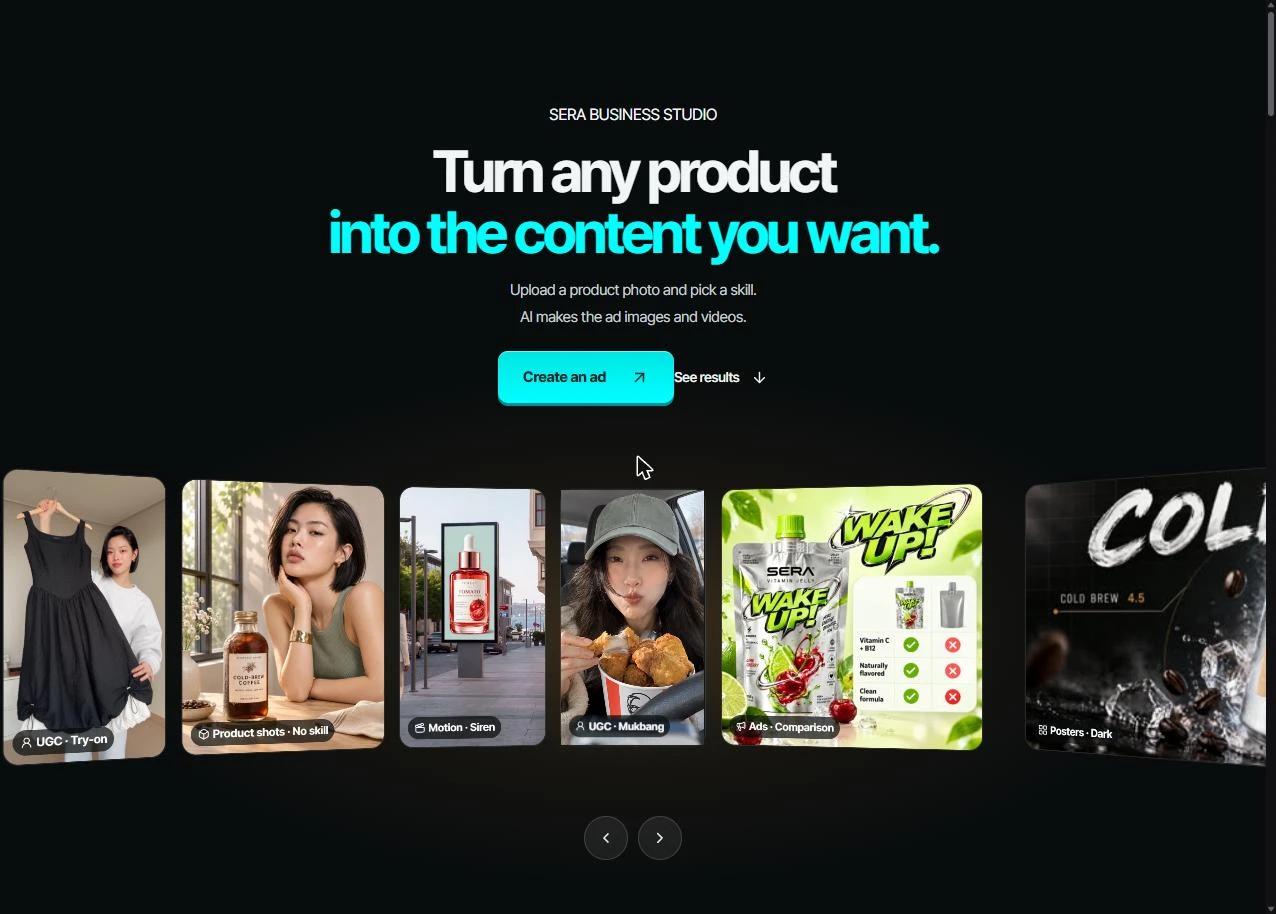
If you do not want a campaign, Autopilot can alternate videos and carousels or make just one of them. Videos draw on 17 kinds from Business Studio and Fashion Studio, such as ads, reviews and unboxings. All of them are vertical 9:16 for Shorts, Reels and TikTok. Carousels take turns through 13 templates. The color changes each time a template comes around again.
Nothing goes out without you
Only the posts you make and schedule are published. Each one goes out once on each day you picked, at the time you set. You can edit a caption, skip a post or make a video again. If you turn Autopilot off, new ideas stop. Posts you already scheduled still go out.
Set it once and post every week
You run the business. Autopilot keeps your accounts moving while you do. Add a product, connect an account and check the first week.