How to turn a YouTube video into Shorts: we tried it and got 3 Shorts in 2 minutes
Tired of hunting through long videos for Short-worthy moments? We pasted one YouTube link into Sera Studio and a 6 minute 49 second cooking video became three titled Shorts in 2 minutes 3 seconds. Here is every step on the real app screens, from pasting the link to the schedule calendar.
Turning one long video into Shorts usually means watching all of it, picking the moments worth keeping, cutting them out and writing a title for each. So we tried it with Long to Short in Sera Studio. We pasted the link to a 6 minute 49 second cooking video on YouTube, pressed two buttons, and 2 minutes 3 seconds later had three titled Shorts.
Here’s every step, from pasting the link to the schedule calendar, on the real app screens. The original video is Slow Cooked, Ultra Creamy Mac and Cheese Made Easy by Smokin’ & Grillin with AB, licensed under CC BY. We made it on Nov 7, 2026.
YouTube video to Shorts on one sheet
What went in
- One YouTube link
- 6:49A CC BY cooking video
- Buttons pressed
- Load · Start conversion
- Estimated credits
- About 14
What came out
- Vertical Shorts
- 320–30 s each · titled by AI
- Top score
- 7.5 pts
- Most replayed
- Tagged on 1 clip
Time taken
- Request to finished
- 2:03A real run on Nov 7, 2026
- Edits on
- 3-second hook · silences
- Next
- Canvas · schedule
Paste the link and press Load
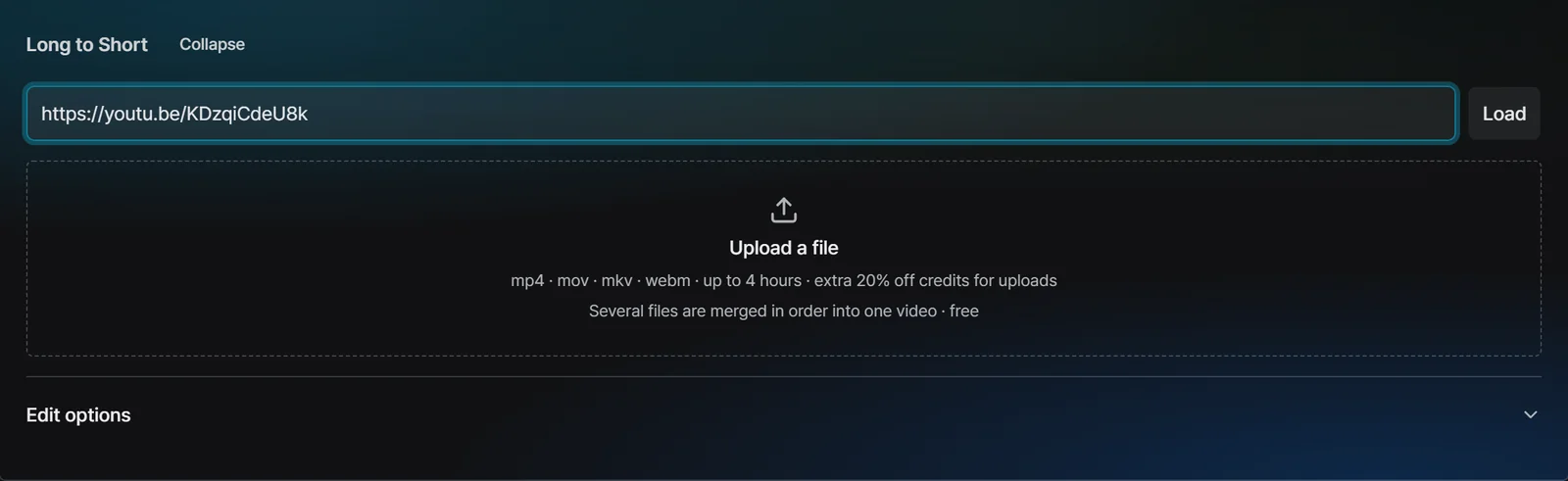
Open Long to Short and the link box is at the top. Paste a YouTube link and press Load. If you have the video file, you can upload it in the box below instead. Uploads cost 20% fewer credits.
The estimated credits show up first
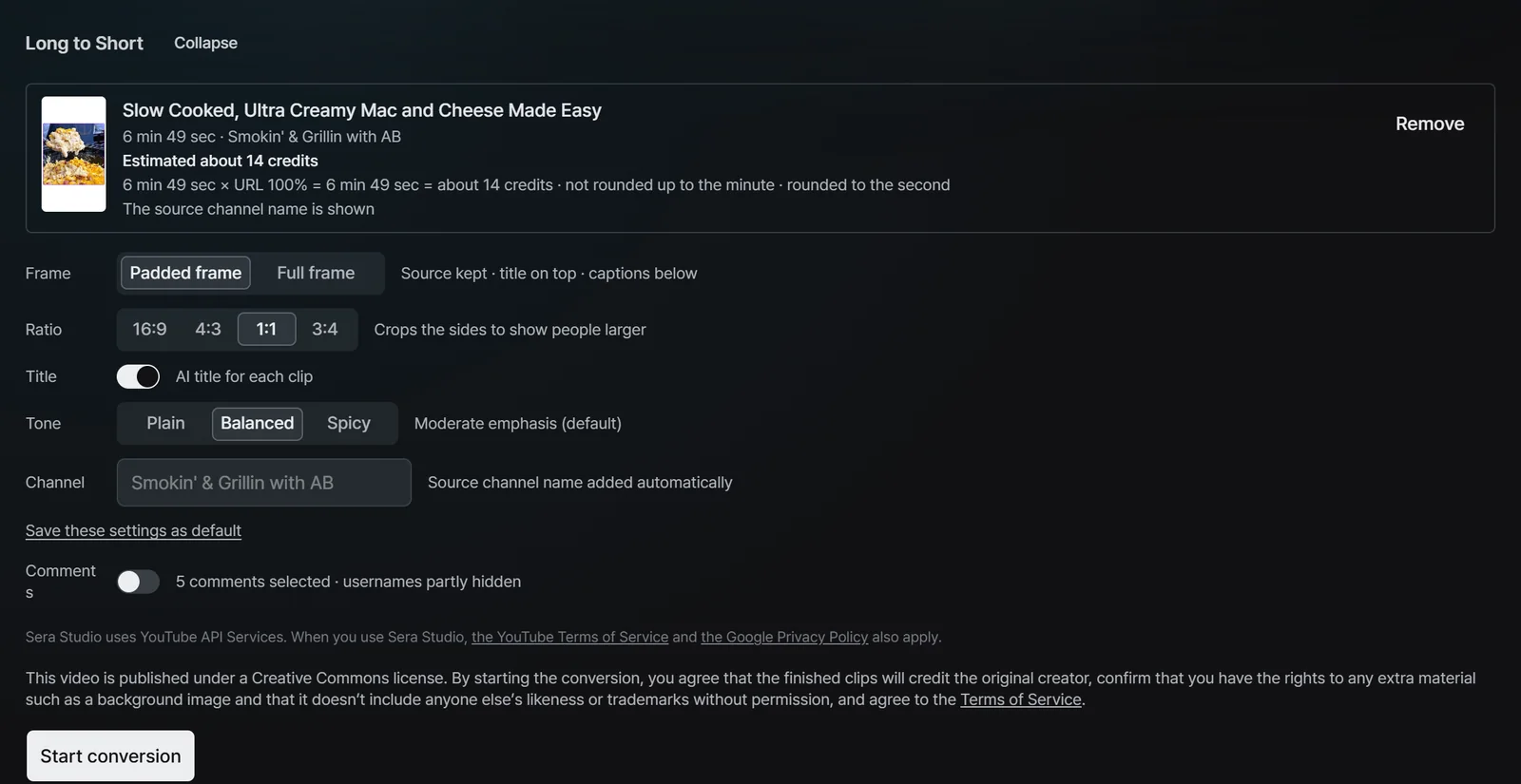
Once the video loads, you see its title, length and channel along with the estimated credits. This one was 6 minutes 49 seconds, so about 14 credits. A note also says the source channel name goes into the Shorts.
Below that you set how the Shorts look. Choose a padded frame, which keeps the original picture and puts the title and captions above and below it, or a full frame that fills the screen. Then set the ratio, AI titles and the title tone. We kept the defaults: padded frame, 1:1 and the Balanced tone.
Edit options are just switches
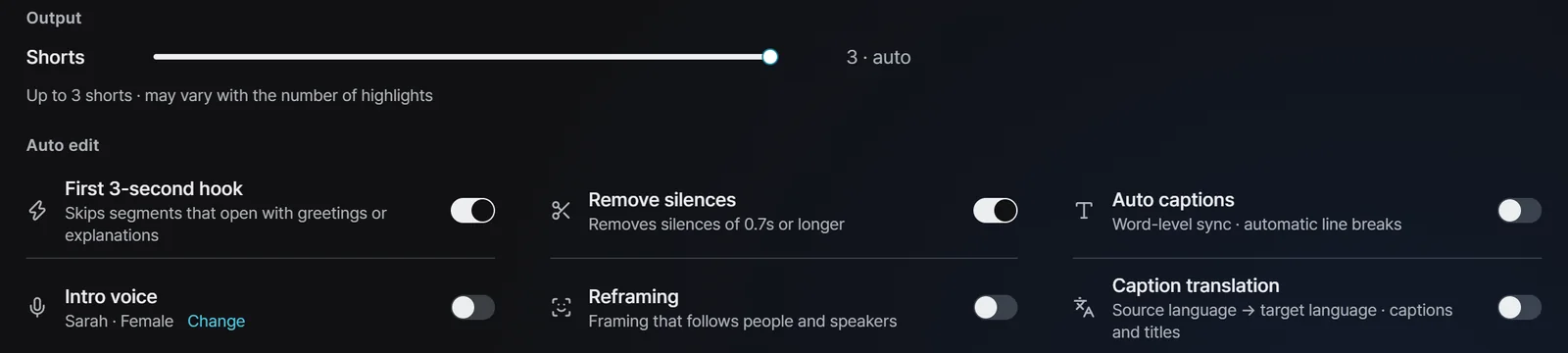
Open Edit options to see the number of Shorts and the auto-edit switches. The number of Shorts is set from the video’s length, and this time the maximum was three. We turned on only the first 3-second hook and silence removal. The original video already has captions on screen, so we left auto captions off.
- First 3-second hook. Skips segments that open with greetings or explanations.
- Remove silences. Cuts pauses of 0.7 seconds or longer.
- Auto captions, Intro voice, Reframing, Caption translation. Turn them on when you need them. Reframing moves the frame to follow people and speakers.
Three Shorts were ready in about 2 minutes
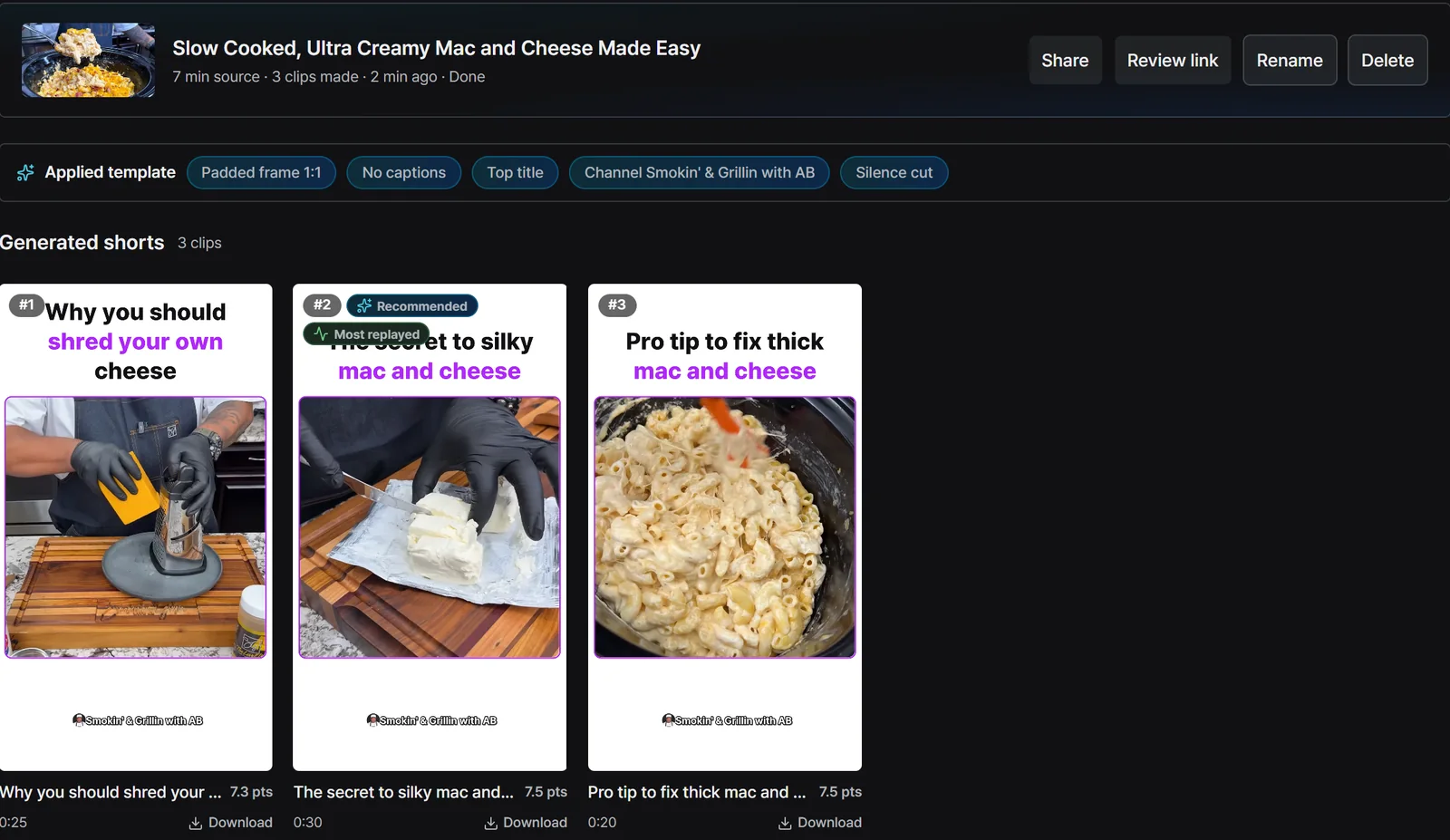
We pressed Start conversion and it finished 2 minutes 3 seconds later. The AI picked three segments from the 6 minute 49 second video and gave each one a title and a score.
- Why you should shred your own cheese · 25 s · 7.3 pts
- The secret to silky mac and cheese · 30 s · 7.5 pts
- Pro tip to fix thick mac and cheese · 20 s · 7.5 pts
The second one is tagged Recommended and Most replayed. Most replayed means the moment YouTube marks as most replayed in the original is inside that clip. Every clip has its own download button.
Fix anything you don’t like in the canvas
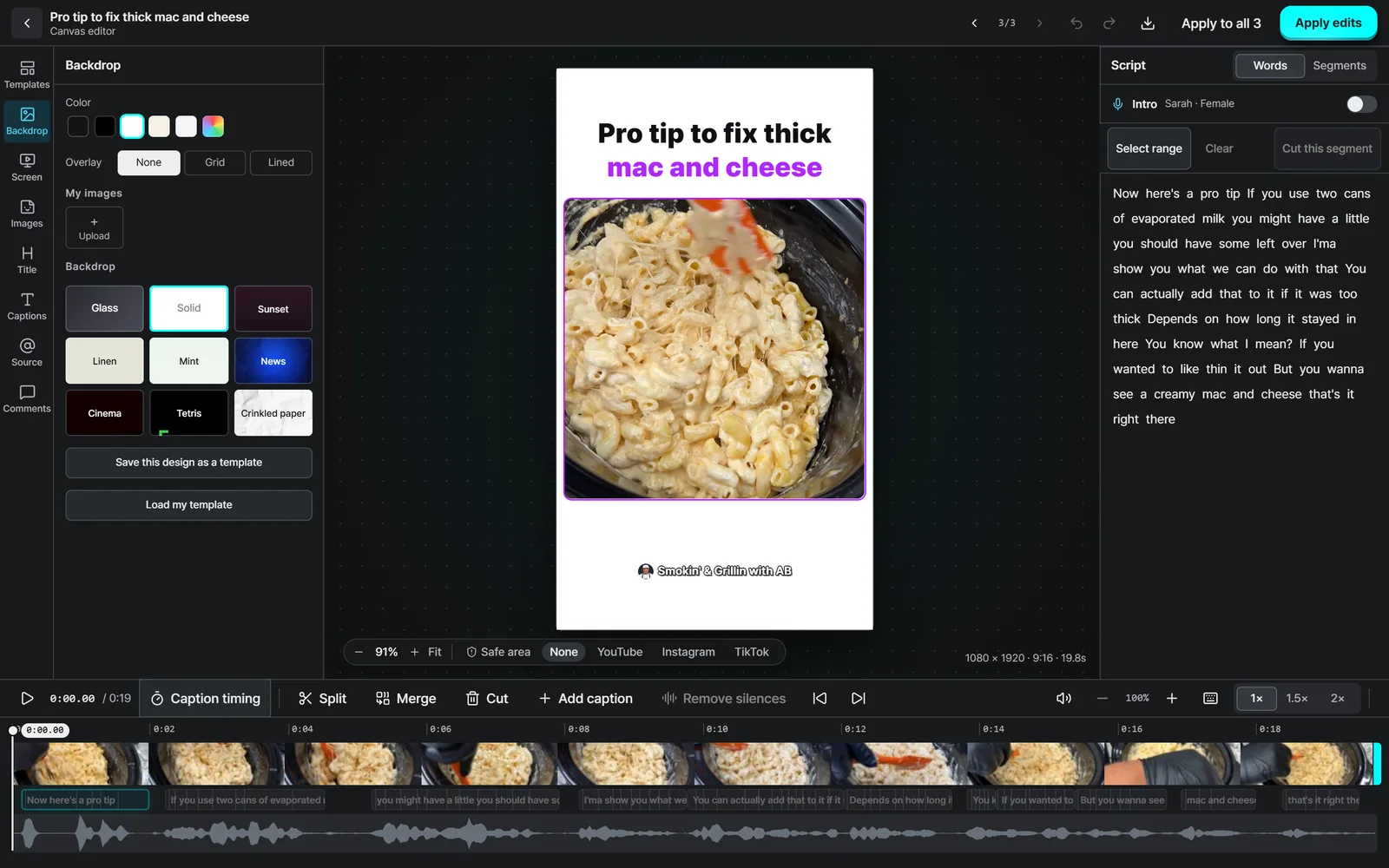
Open a Short and the canvas editor comes up. Watch the finished look in the middle, change the backdrop, template, captions and title on the left, and edit the transcribed script on the right. The timeline at the bottom has Split, Merge, Cut and Add caption. The Apply to all 3 button copies a design change to every clip from the same video.
Add them to the schedule calendar and they go out on time
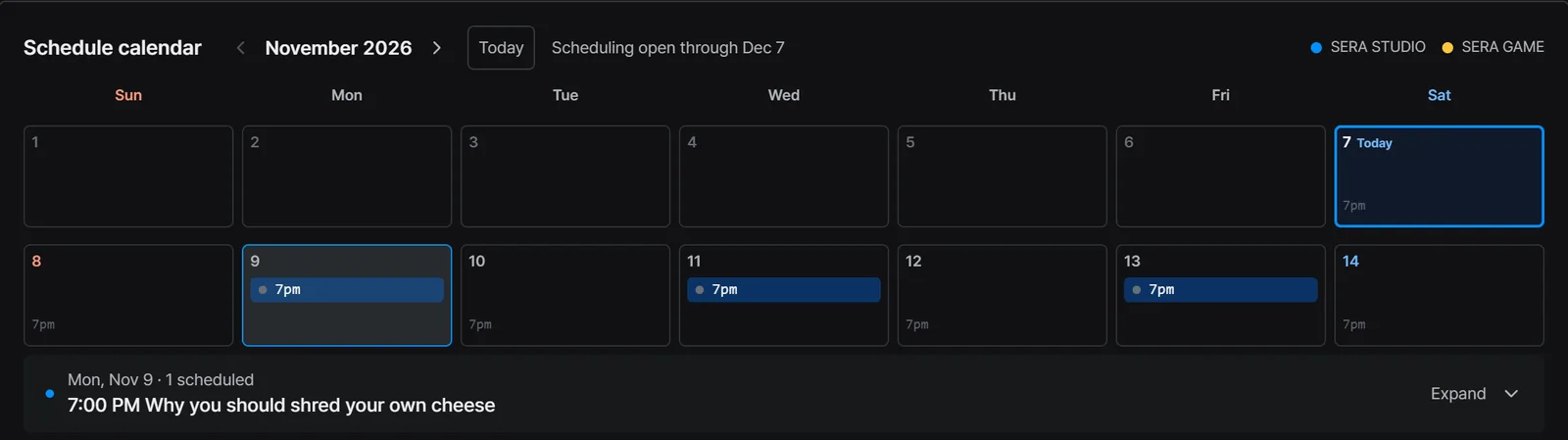
Finished Shorts go into the schedule calendar. Pick your connected YouTube, TikTok or Instagram accounts, set a date and time, and they post then. By default it posts every day at 7 pm and writes the post text for you. Making and posting on separate days keeps your channel going in a busy week.
Time and credits
- It took 2 minutes 3 seconds from Start conversion to done.
- It used about 14 credits. A YouTube link costs the video’s length, and an uploaded file costs 20% less.
- If a conversion fails, every credit comes back automatically.
Good to know before you start
- The time is one run of one 7 minute video. Longer videos, or many people converting at once, can take longer.
- The maximum number of Shorts depends on the video’s length, and you may get fewer if there are fewer good segments.
- Only convert videos you made or have permission to use. This one is licensed under CC BY, so we credited the original creator.
- These are the real Sera Studio app screens. We cropped out personal details such as account names and balances.
- Sera Studio wrote this piece to introduce its own feature, Long to Short.