AI product photo generator, tried for real: one product photo became 10 ad images in under 4 minutes
How many ad images can you get from one product photo? We put a single can photo into Sera Studio’s Business Studio, switched the skill each time and generated ten times. 3 minutes 39 seconds later we had 6 product shots, 2 posters and 2 ads. Here’s every step on the real app screens.
How many ad images can you get from one product photo? We put a single photo of a RIPPLE sparkling orange can into Sera Studio’s Business Studio and pressed Generate ten times, switching the skill each time. 3 minutes 39 seconds later we had 6 product shots, 2 posters and 2 ads, for 132 credits in total.
Here’s every step on the real app screens, from adding the product photo to opening a finished image. The images were made on Nov 7, 2026, and we reopened that record for the screenshots the same night.
AI product photos from one photo
What went in
- Product photo
- 1A RIPPLE sparkling orange can
- Skills picked
- 10
- Model
- GPT Image 2.5 Sunburst
What came out
- Ad images
- 106 product shots, 2 posters, 2 ads
- Held by an avatar
- 3
- Credits used
- 132
Time taken
- First request to last image
- 3:39All ten sent one after another, run together
- Each image
- 1:49 to 2:25
- Time to send all ten
- 1:38
Pick Image and add your product photo
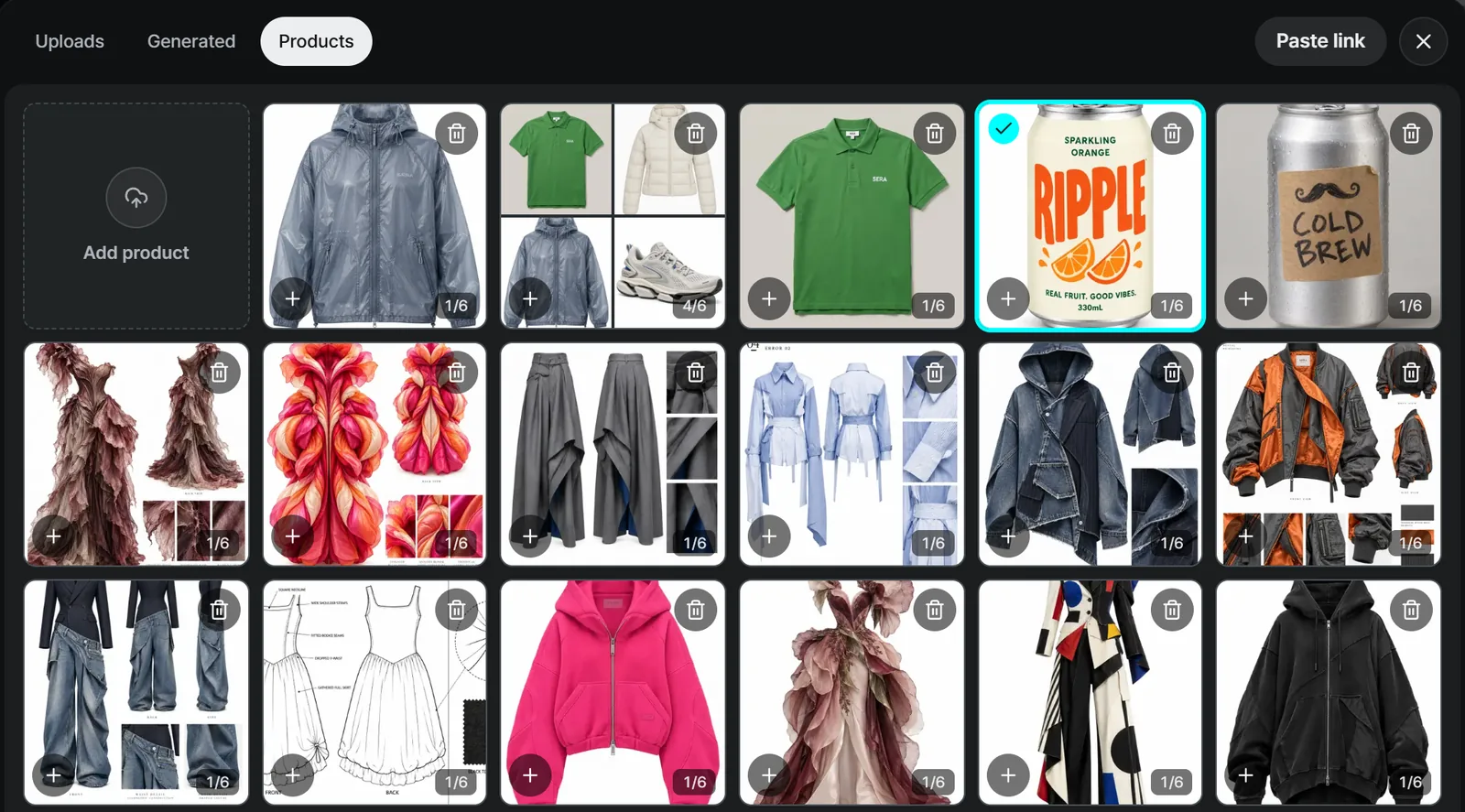
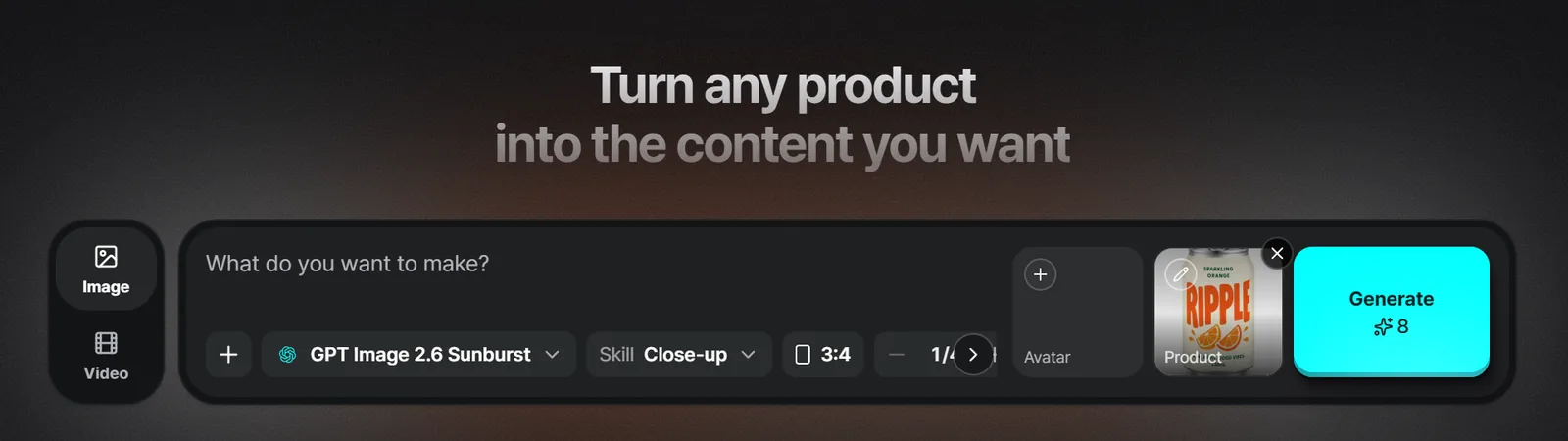
Business Studio opens with the input box at the top. Choose Image rather than Video on the left, then press the Product slot on the right to open your product library.
- The Products tab keeps the product photos you’ve saved. Add product saves a new one.
- You can also pick a photo from the Uploads or Generated tabs.
- Paste link pulls the photos from a product page URL.
The photo then sits in the Product slot. The row below sets the model, skill, ratio and number of images, and the Avatar slot adds a person to hold the product. The Generate button shows the estimated credits.
The skill sets the scene
Press Skill to open Choose a skill. Image has Product shots, Ads and Posters, and Video has UGC and Motion. Product shots alone has nine skills: Close-up, Faceless, Full body, Editorial, UGC, Studio white, Color pop, Natural and In use. Pick one from its sample photo.
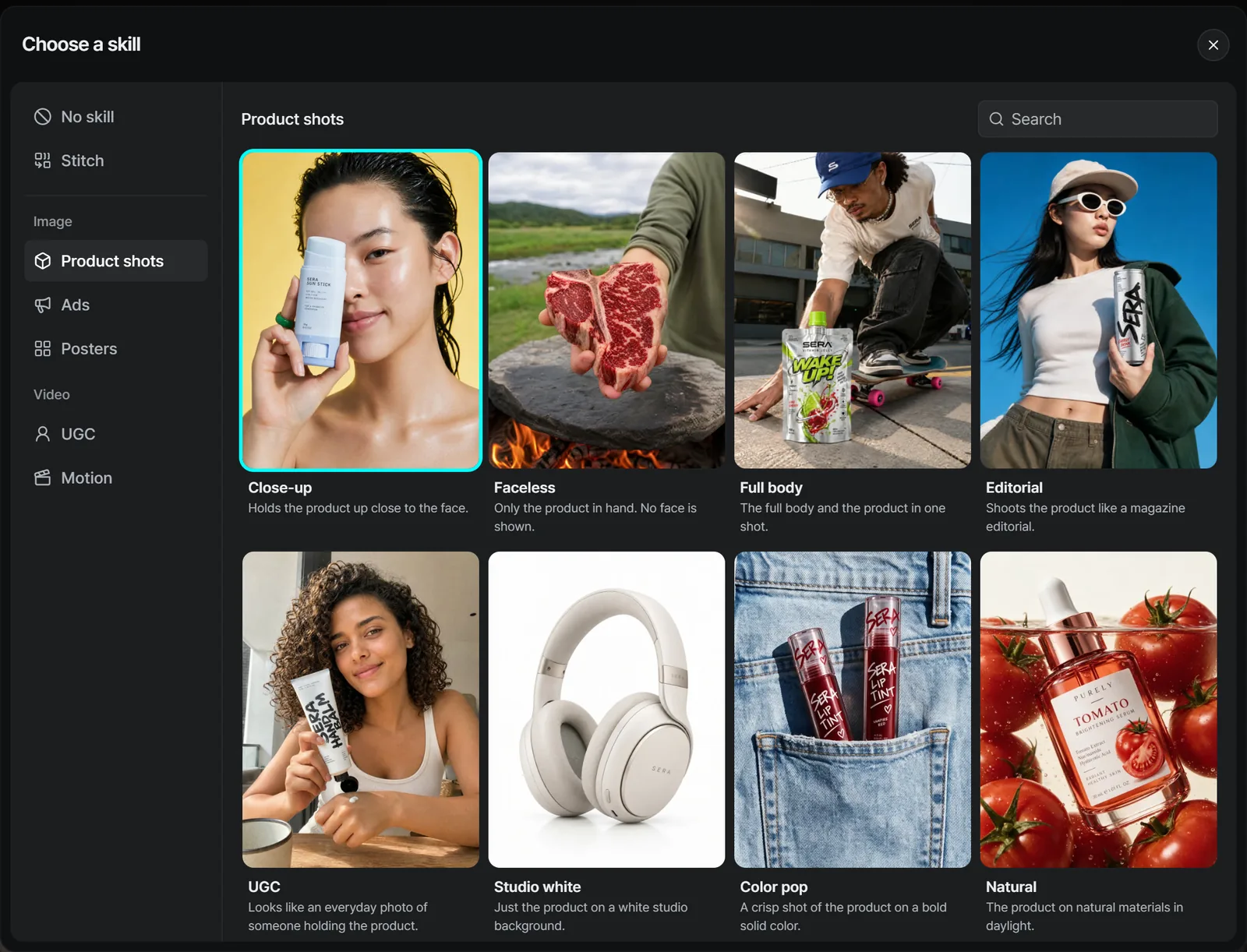
We used ten skills this time.
- Six product shots: Studio white, Natural, In use, Close-up, UGC and Editorial
- Two posters: Dark and Color pop
- Two ads: Comparison and Problem → solution
For Close-up, UGC and Editorial we put a ready-made avatar in the Avatar slot, so a person holds the can.
Ten images in 3 minutes 39 seconds
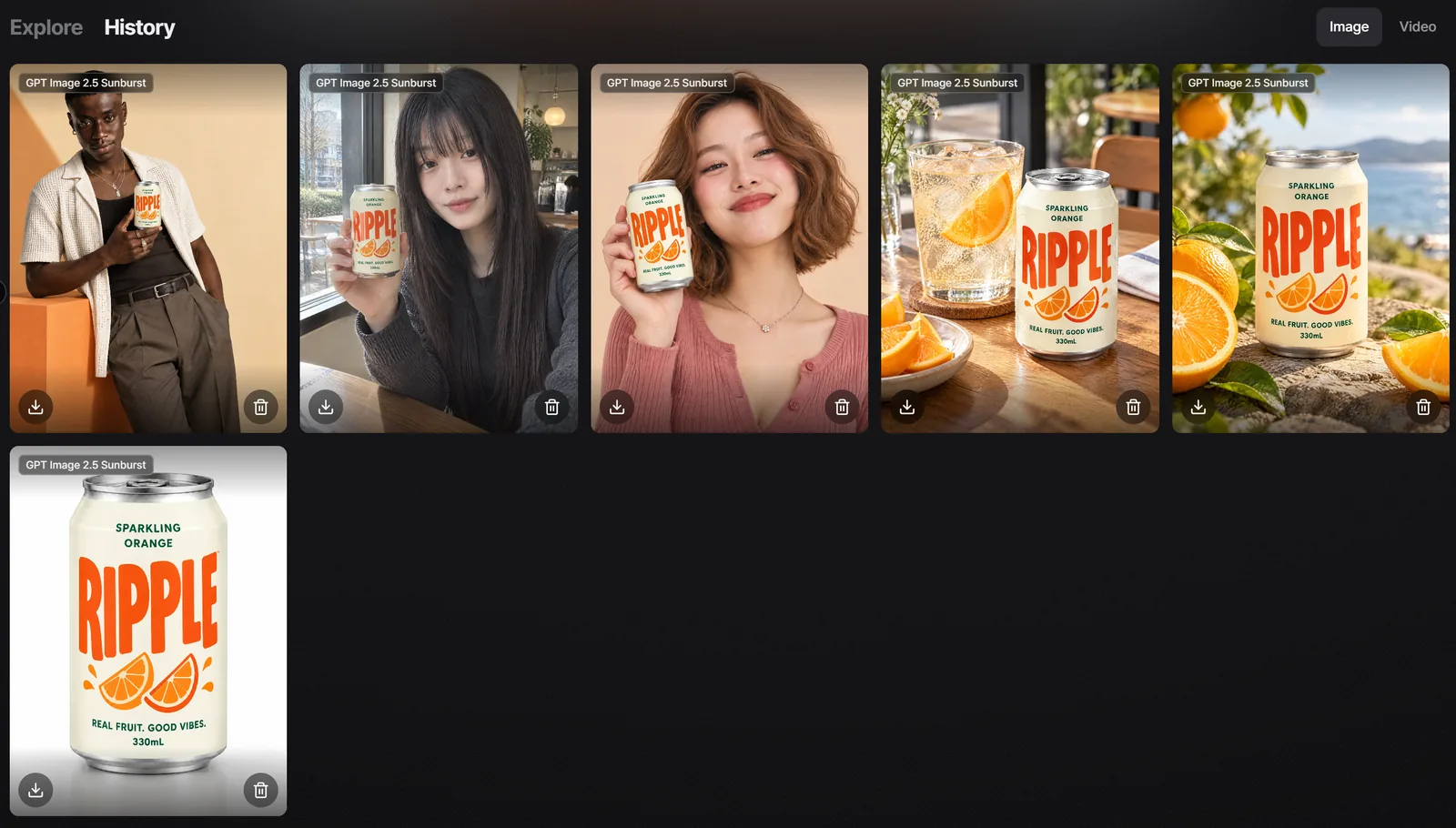
We sent the ten requests one after another over 1 minute 38 seconds, and they ran together. Each image took between 1:49 and 2:25, and the last one landed 3 minutes 39 seconds after the first request. Finished images collect in History.
For posters with text, Business Studio reads the finished image once and flags any spot where the text reads differently from what you entered. One of our posters, Color pop, got that flag. The flag only tells you. The image and the credits stay as they are.
Open it, download it or turn it into a video
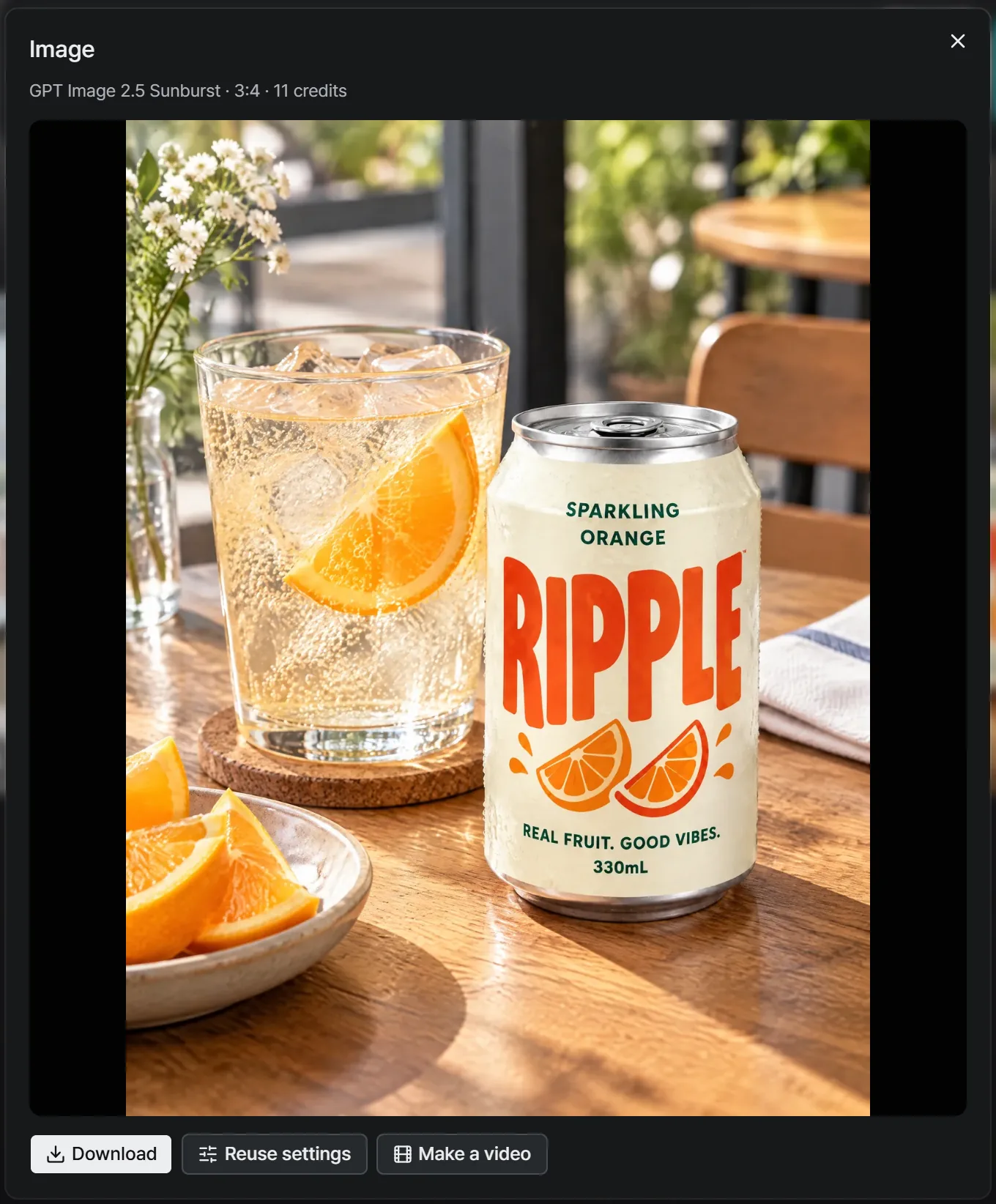
Click an image to open it full size. The model, ratio and credits used sit at the top, with three buttons below.
- Download saves the image.
- Reuse settings puts the settings behind this image back into the input box.
- Make a video starts a video from this image.
Time and credits
- All ten images were done 3 minutes 39 seconds after the first request.
- A 3:4 product shot cost 11 credits, or 13 with an avatar. A 1:1 poster or ad cost 15 credits.
- The ten images used 132 credits in total. If an image can’t be made, its credits come back.
Good to know before you start
- The time is one run of these ten images. Model, ratio, image count and how busy the queue is can change it.
- These ten were made with GPT Image 2.5 Sunburst. Credits depend on the model and ratio you pick.
- No text flag doesn’t guarantee the text is right. Read any image with text yourself before you use it.
- We didn’t make anything new for this guide. We reopened the Nov 7 record and took the screenshots.
- These are the real Sera Studio app screens. We cropped out the workspace name and balance, and kept only this guide’s images in History.
- Sera Studio wrote this piece to introduce its own feature, Business Studio.